
From installing the app to running your first house — the essentials, step by step.
If you live in a mess, hostel or shared flat, you already know the monthly headache: who ate how many meals, who bought the bazar, who gave money to the manager, and who owes whom at month-end. Bachelors' Meal Manager does all of that arithmetic for you.
Everyone in the house shares one live picture. You log your meals, the manager logs the bazar and the money, and the app keeps every person's balance up to date every second — so nobody argues, and month-end takes zero calculation.
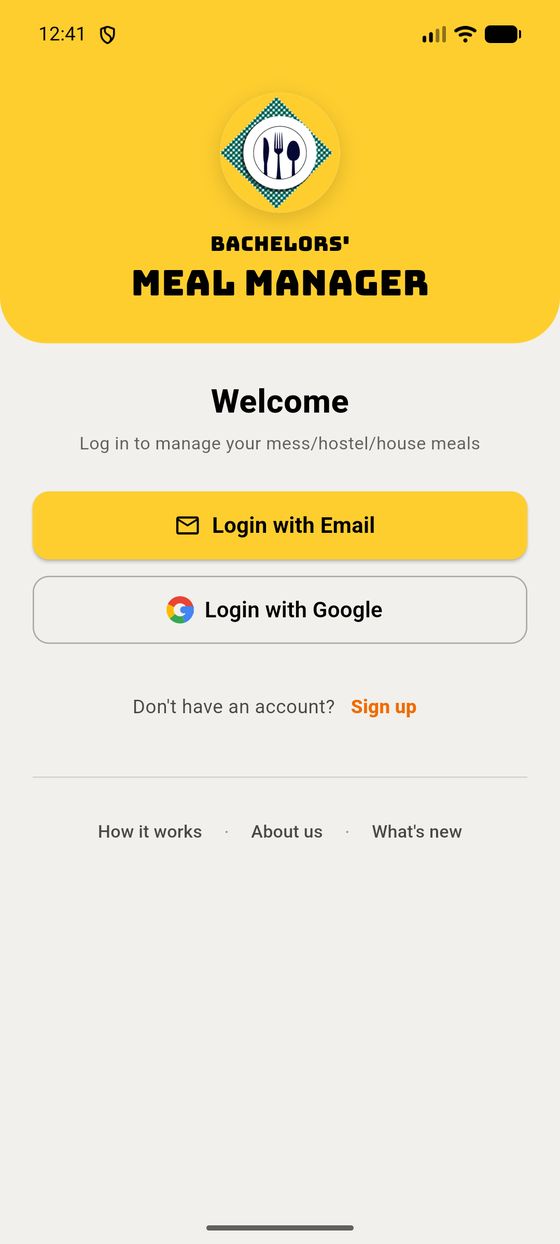
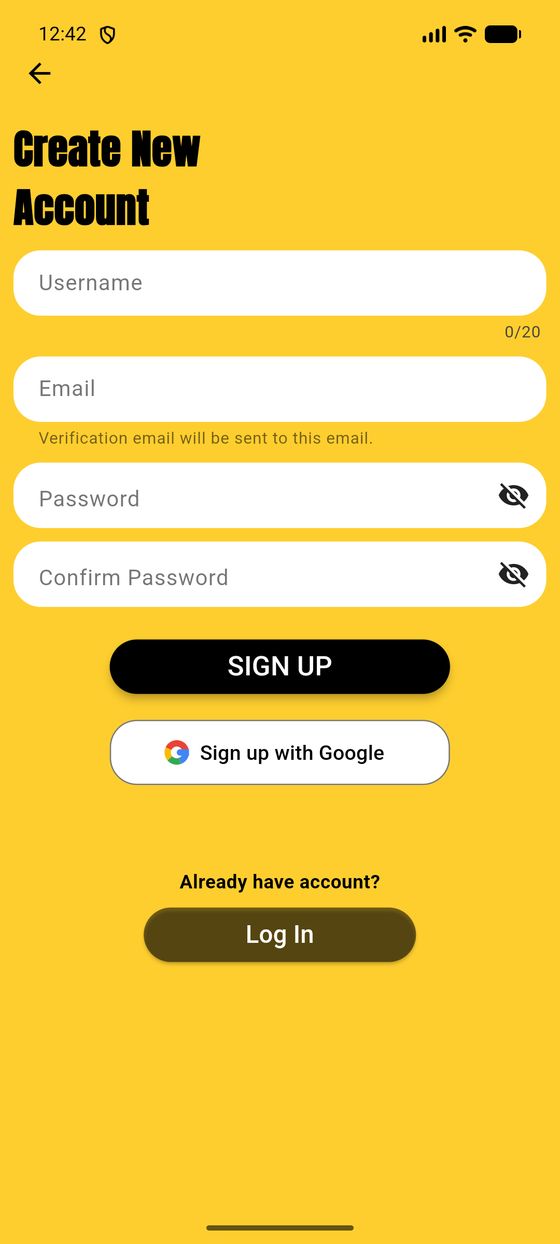
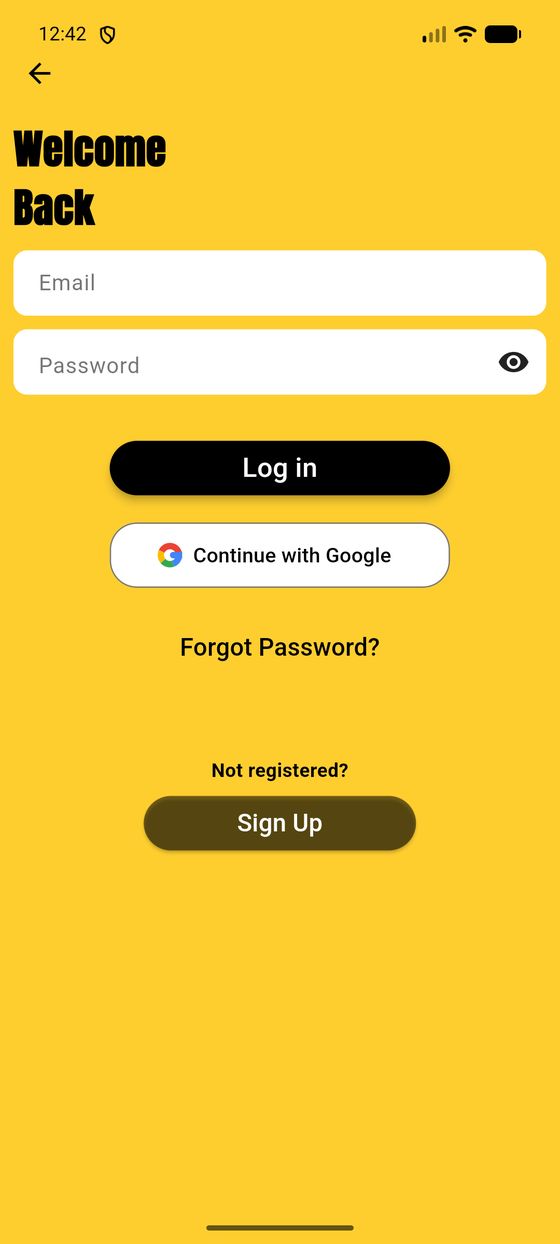
Open the app and you'll land on the welcome screen. You can sign in with an email & password or with Google — both sit side by side, use whichever you like.
Everything in the app lives inside a house (your mess). The first time you sign in you have two choices:
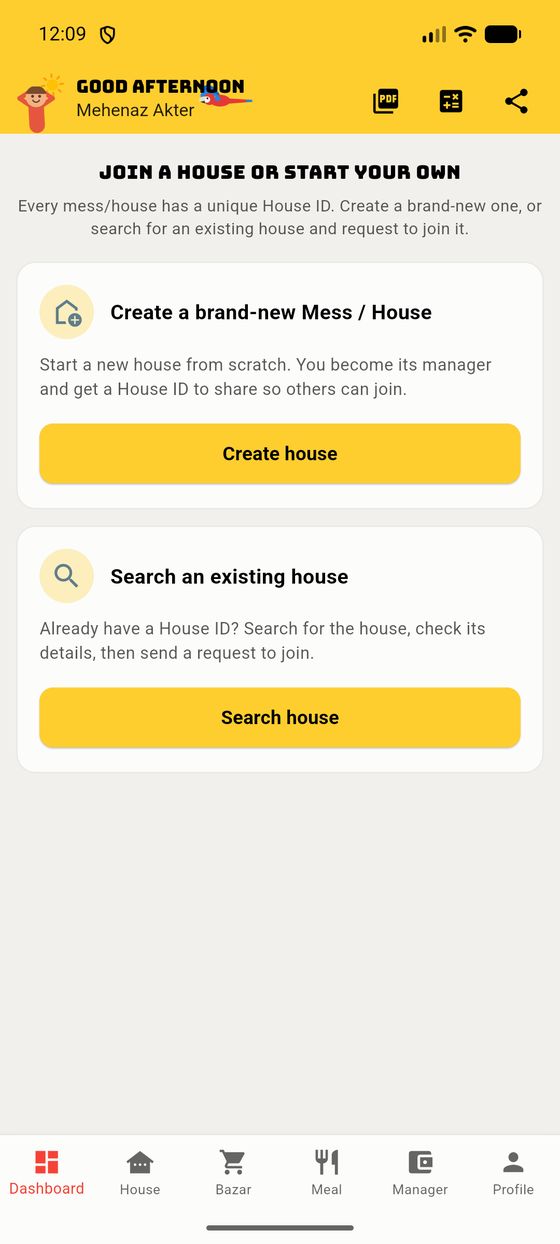
Tap Create house. You give it a name, choose its type (see 1.5), and you instantly become its manager. The app gives the house a unique House ID you can share so others can join.
Tap Search house, paste the House ID a housemate gave you, check the details, and send a request to join. The manager approves it and you're in.
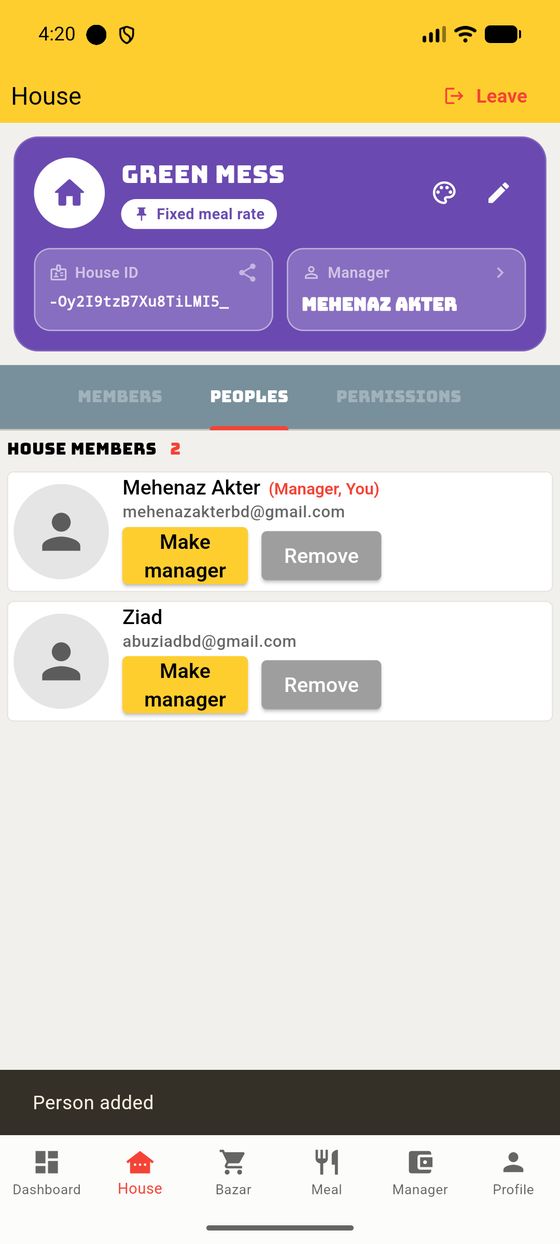
Let's follow a real join from both sides. Say Ziad wants to join Green Mess, whose manager is Mehenaz.
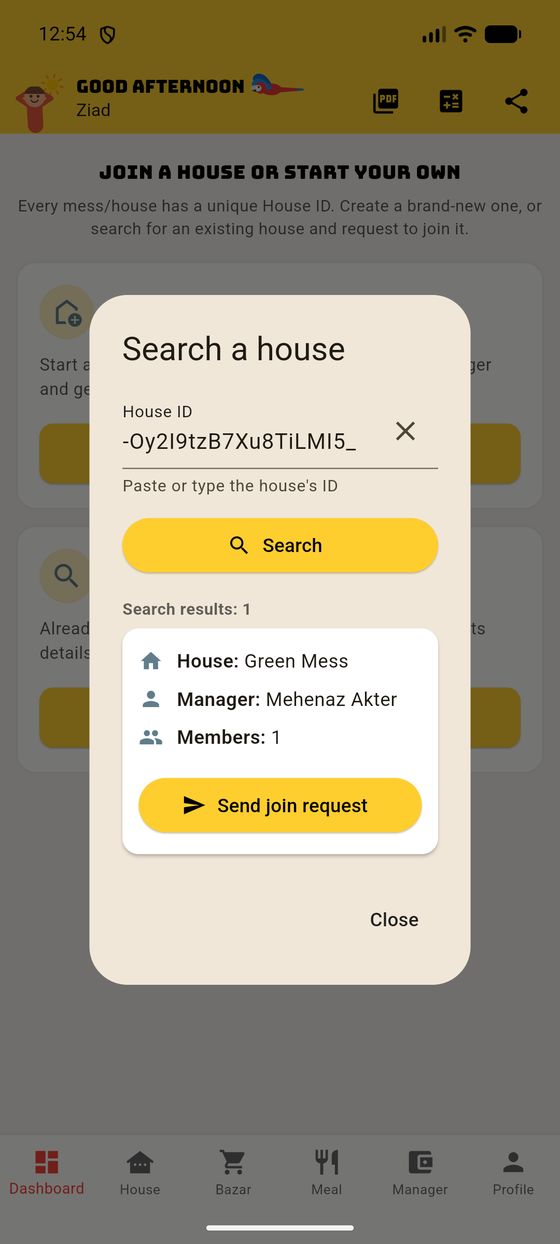
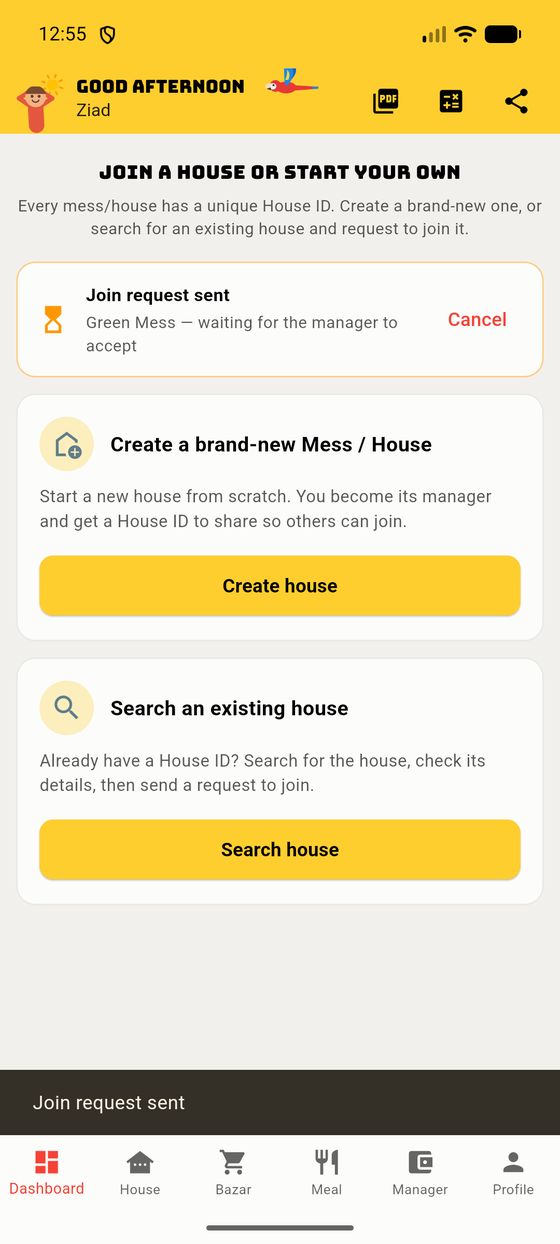
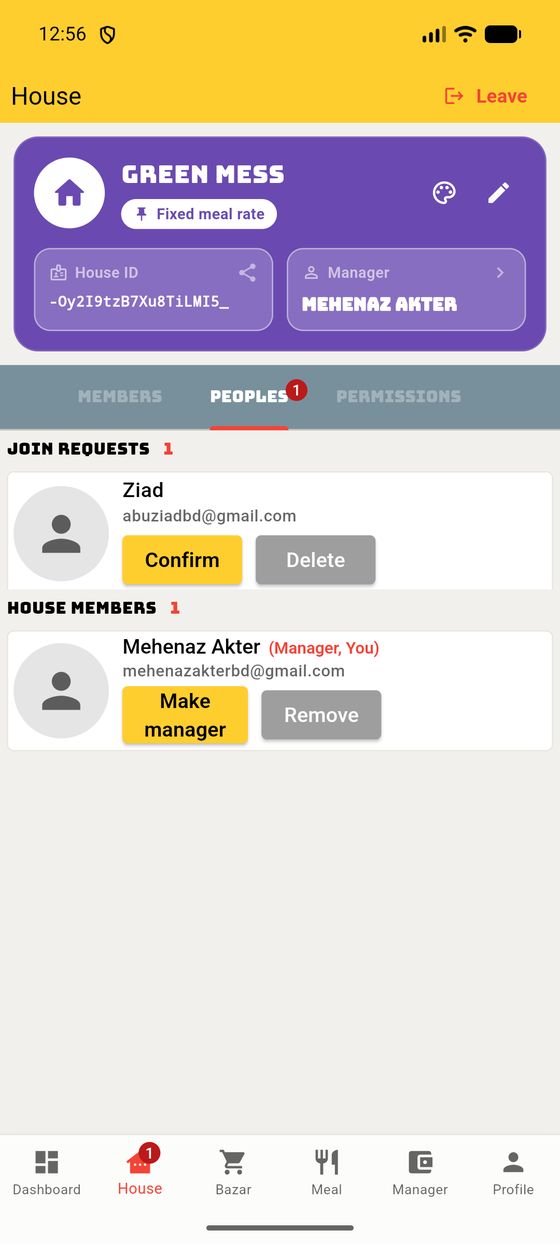
When Mehenaz taps Confirm, the app adds Ziad as a person and then offers to add him to the meal Members list too — and this is where the name-match helper shines:
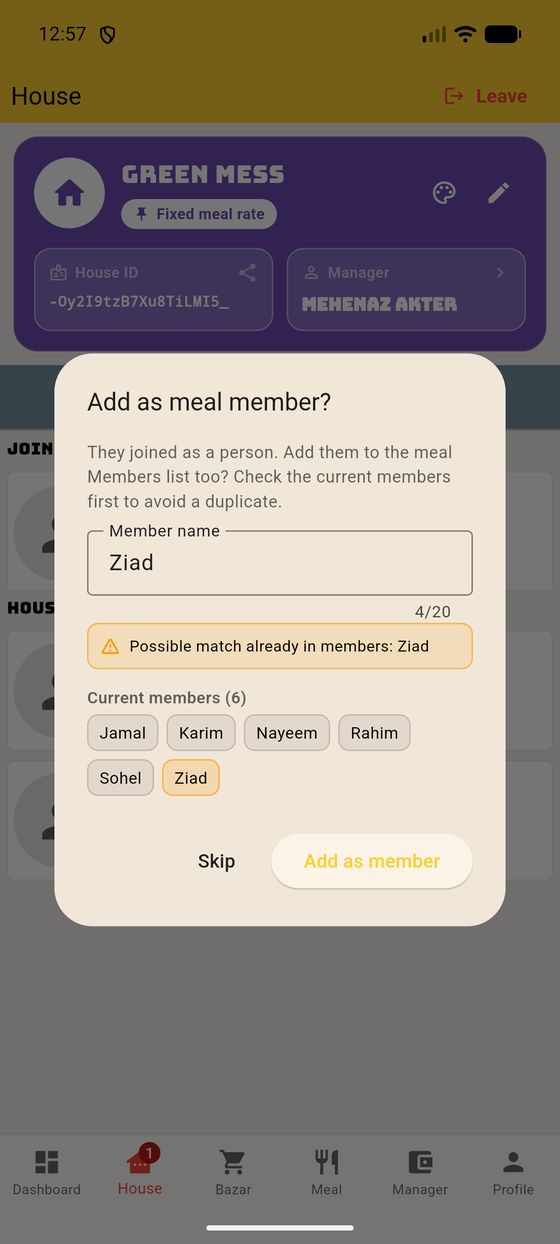
The dialog pre-fills the joiner's name ("Ziad") and scans the existing members. Because Green Mess already has a member called Ziad, it shows an ⚠ Possible match already in members: Ziad warning and highlights that member's chip in orange.
This stops you creating a duplicate. If the person already has a member slot (they do here), tap Skip — the app keeps the existing "Ziad" slot. If they're genuinely new, tap Add as member.
When you create a house you pick how meal cost is worked out. This one choice shapes the whole month, so here's the plain-English difference.
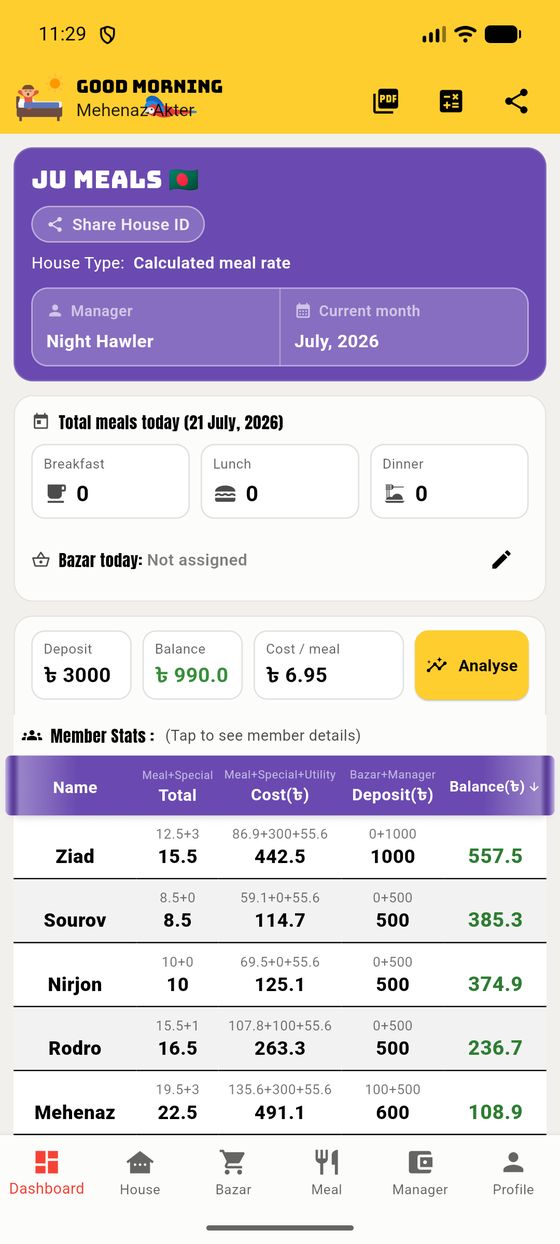
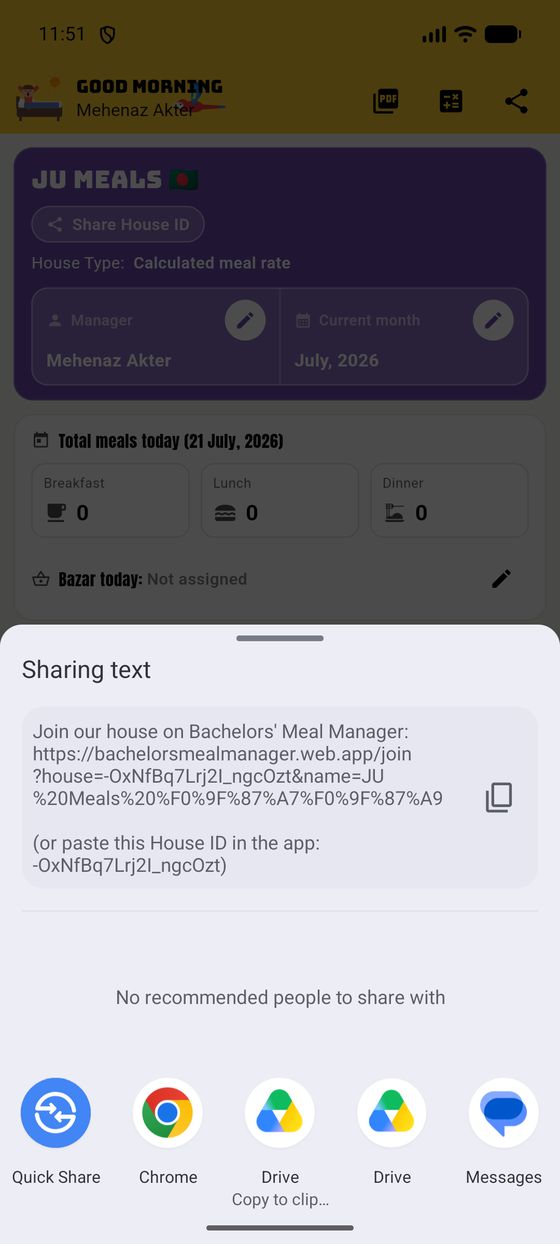
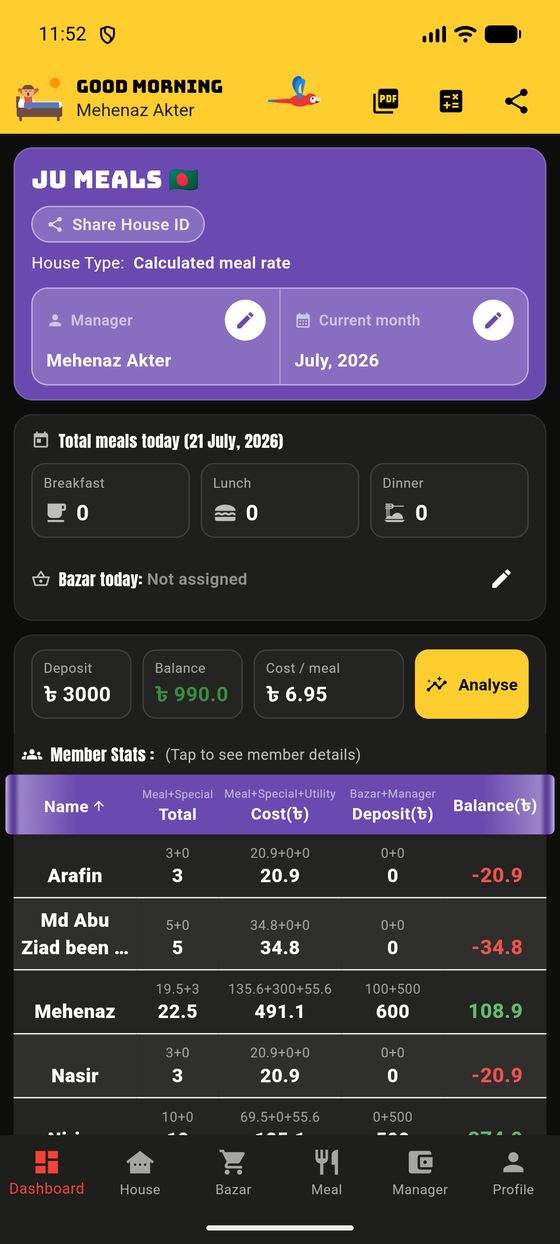
After you're in a house, the Dashboard is home base. Here's the manager's view of our demo house, "JU Meals". Every number you see updates live.
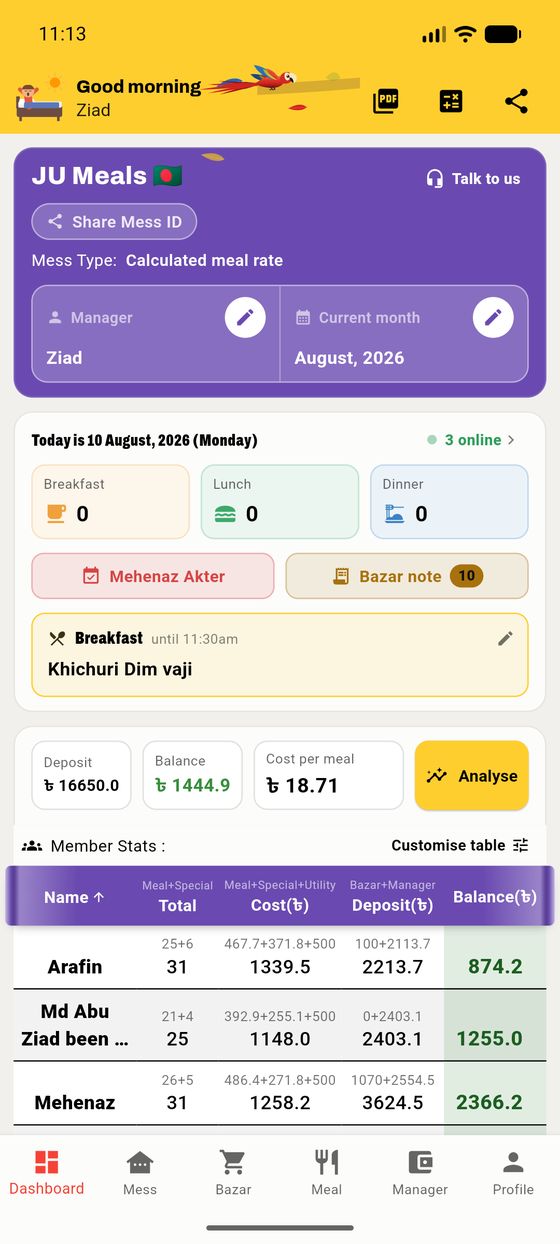
The top bar also holds three icons: PDF export, the Recalculate calculator, and Share.
The classic mess model, where the app works out the true cost per meal from your real bazar and meals. We'll use the demo house "JU Meals" throughout.
In a calculated house there's one number that everything hangs on — the cost per meal. At any moment it's simply:
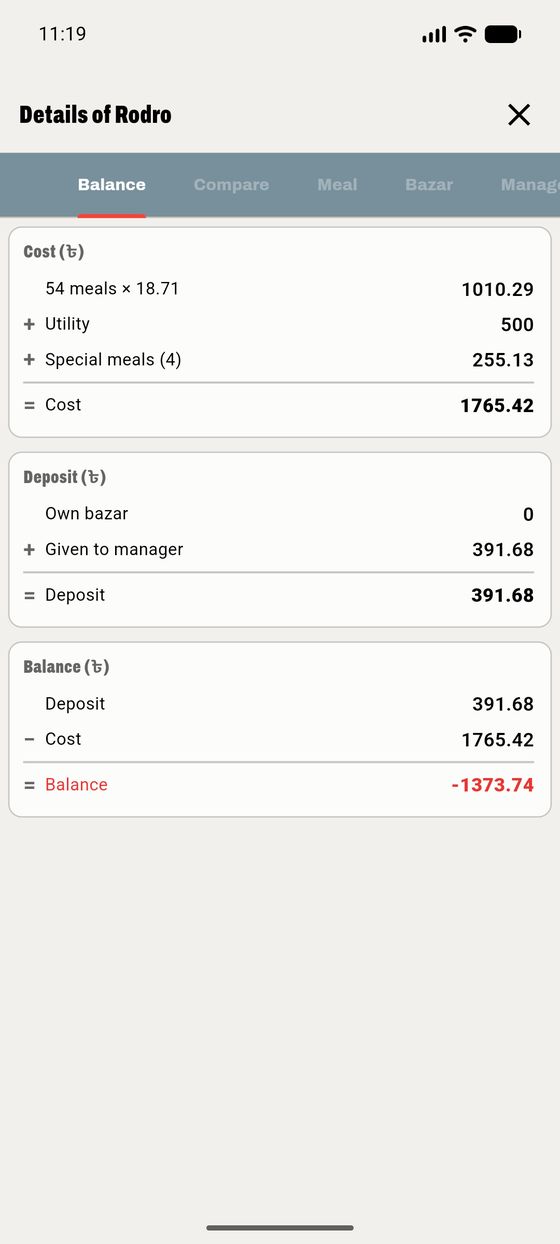
From that, each person's month comes down to three lines:
This table on the dashboard is the heart of the app. Each row is one member, and the columns break down exactly how their balance is built:
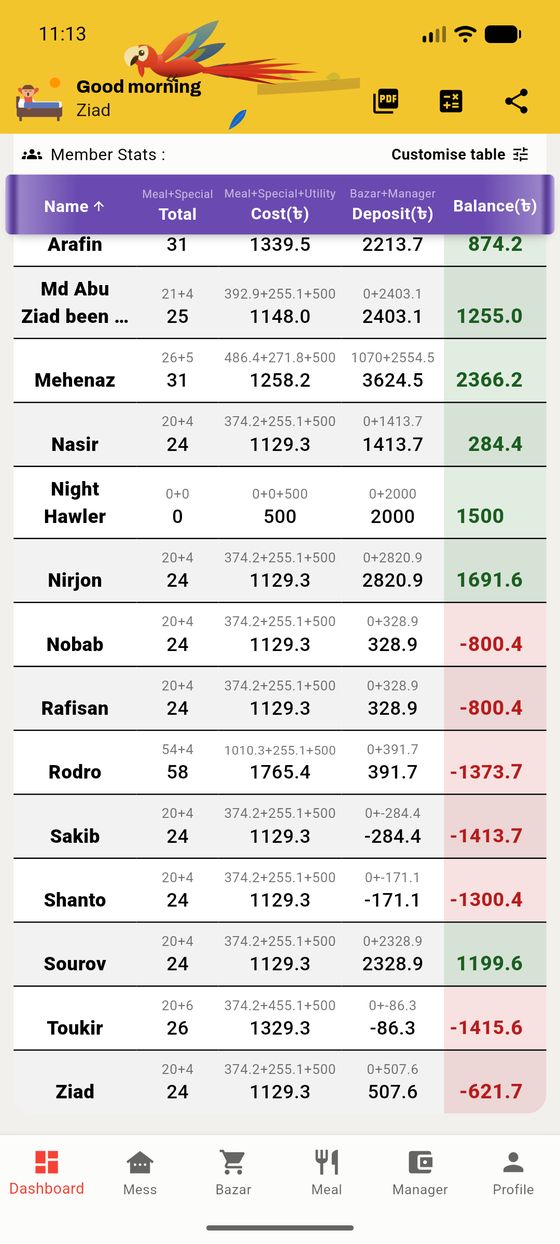
| Column | What it shows |
|---|---|
| Total | Meals + special meals (e.g. 19.5+3). |
| Cost (৳) | Meal cost + special + utility share. |
| Deposit (৳) | Own bazar + money given to manager. |
| Balance (৳) | Deposit − Cost. Green if in credit, red if owed. |
The little grey a+b line above each bold total shows how it was built, so nothing is a mystery. In 3.3.0 the row figures are lined up along the bottom and the balance is aligned on its decimal point, so you can skim a whole column at a glance.
Any column heading is a sort button. Tap once to sort by it (low → high); tap again to flip the direction (high → low). The active column shows a little ↑ / ↓ arrow.
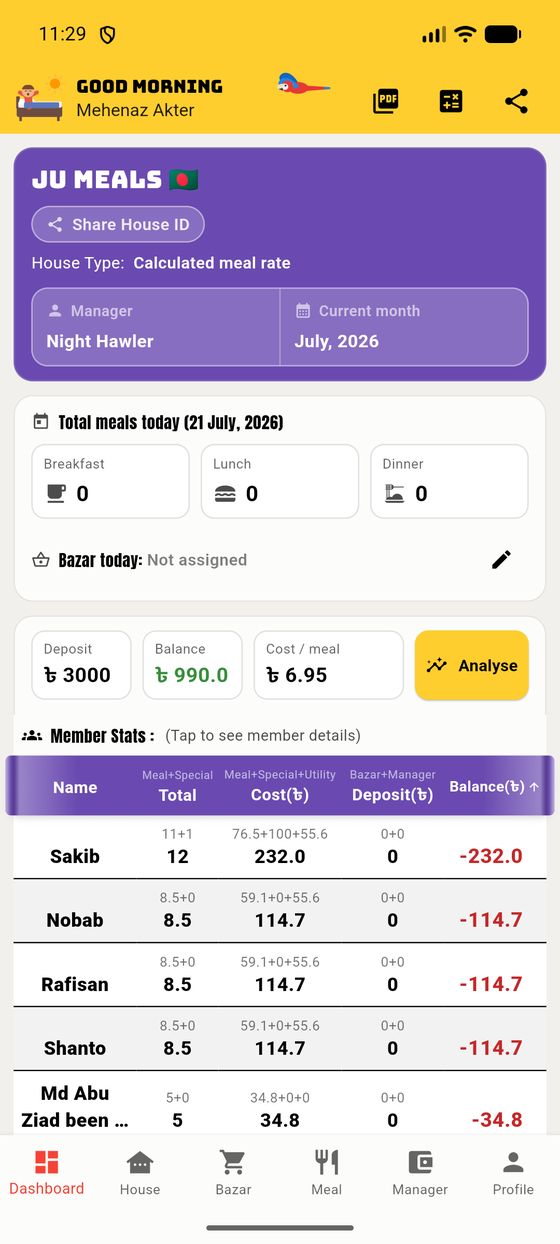
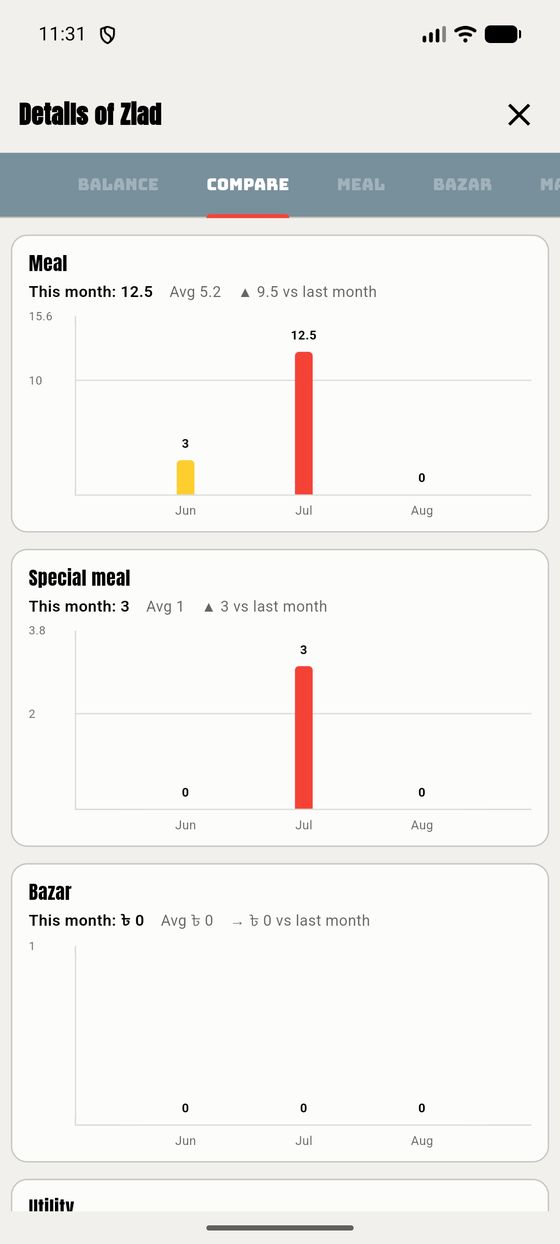
Tap any row in the table to open that person's full story. It opens on the Balance tab — the same three-line maths from §2.1, shown as a tidy sum for that one person.
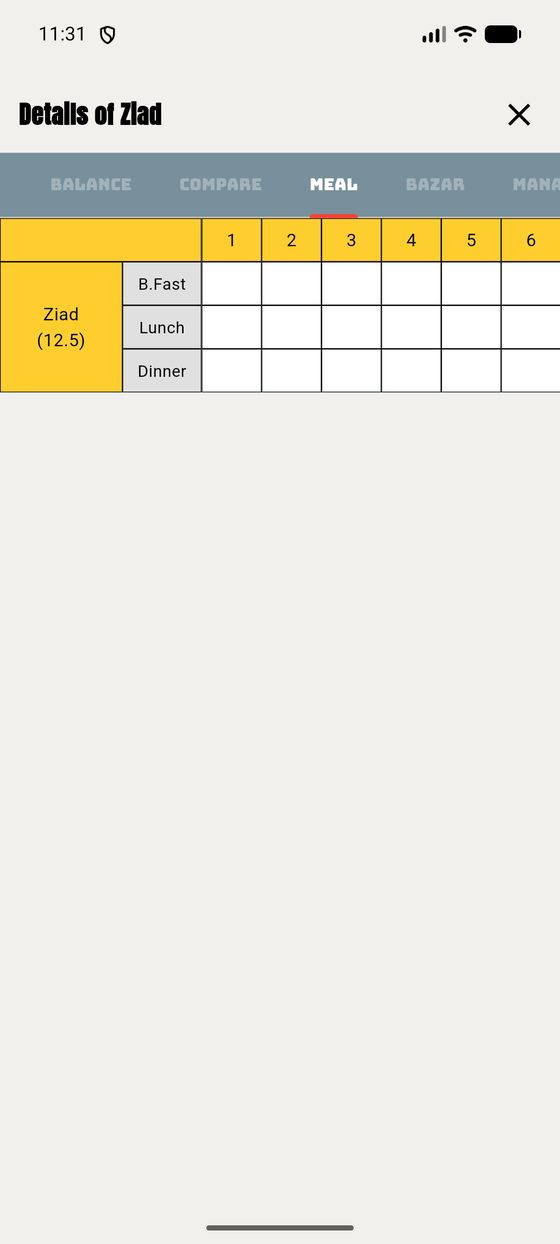
The Meal tab is a grid: members down the side (each split into B.Fast / Lunch / Dinner), days across the top. To log meals, tap the red + Add.
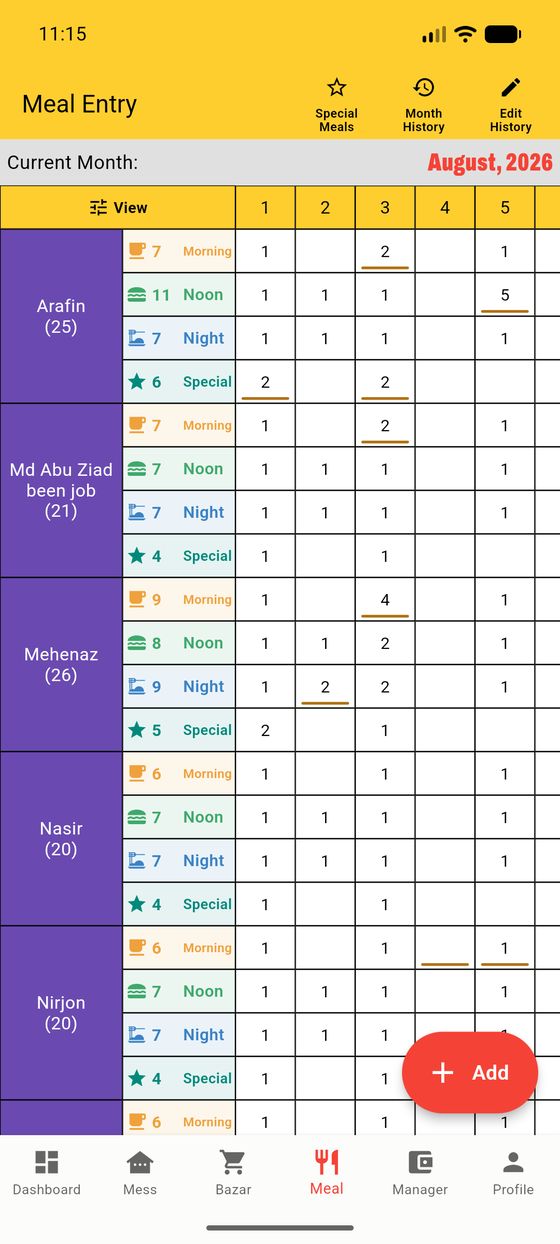
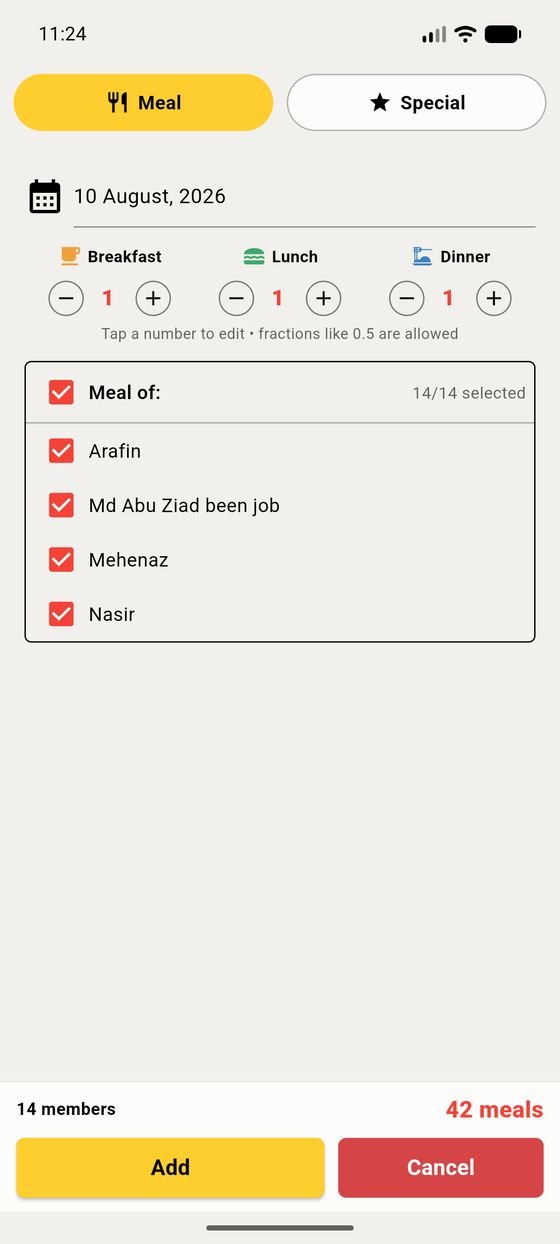
Adding for one person is free; adding for several at once may show a short ad in the live app.
Typed the wrong number, or logged a meal for the wrong day or person? Nothing is stuck — every meal figure can be corrected, and each change is kept in the Edit History. There are two ways to fix it:
The total for that member updates instantly, and the change is recorded in the Edit History.
Sometimes you cook something fancy — a feast, a guest night — that shouldn't be priced like an ordinary meal. That's a special meal: it has its own rate for that day, split only among the people who joined it.
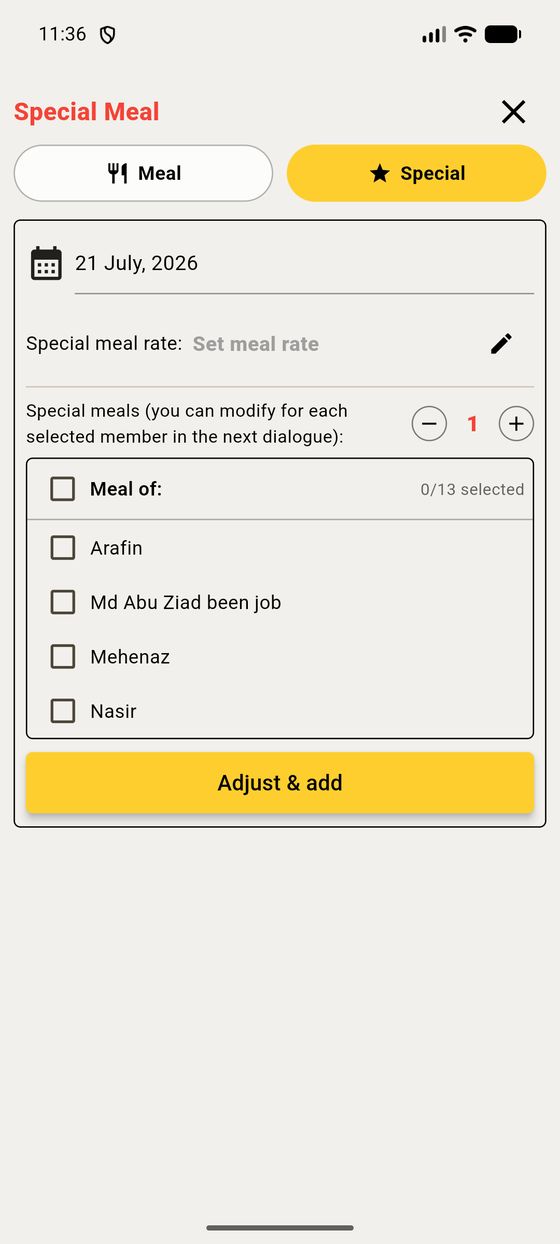
Open Add meal and switch the top toggle to ★ Special. Set the special meal rate for that date, choose how many each person had, and tick the members. Their special-meal cost is added on top of their normal cost, and it shows separately in the table (the +3 in the Total column, the middle number in Cost).
Special meals get their own page, History and Edits log, reached from the star icon on the Meal tab.
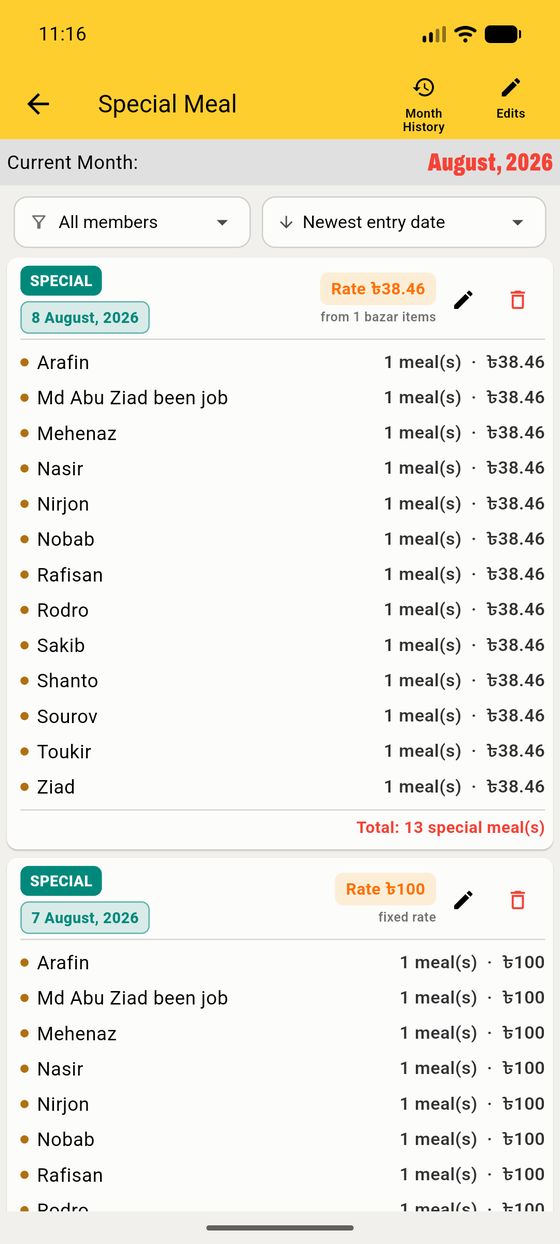
Typed by hand — you set the rate yourself, as above. The card says fixed rate.
Worked out from its shopping — new in 4.0. File a bazar trip against the day (§3.4) and the app divides that shopping between the meals on it. The card says from N bazar items, and you can open it to see the receipt behind the number.
Deleting a day takes its special bazar with it, and credits the money back to whoever paid — the dialog names the items and the amount before you agree.
The Bazar tab is the shopping ledger. Each entry records what was bought, how much, and — crucially — who paid.
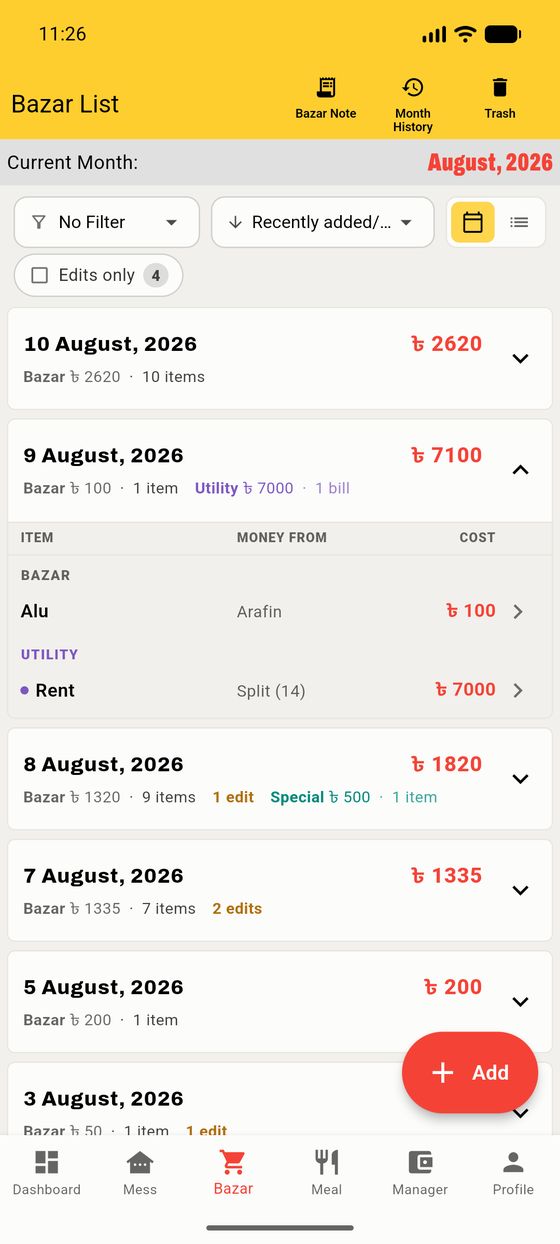
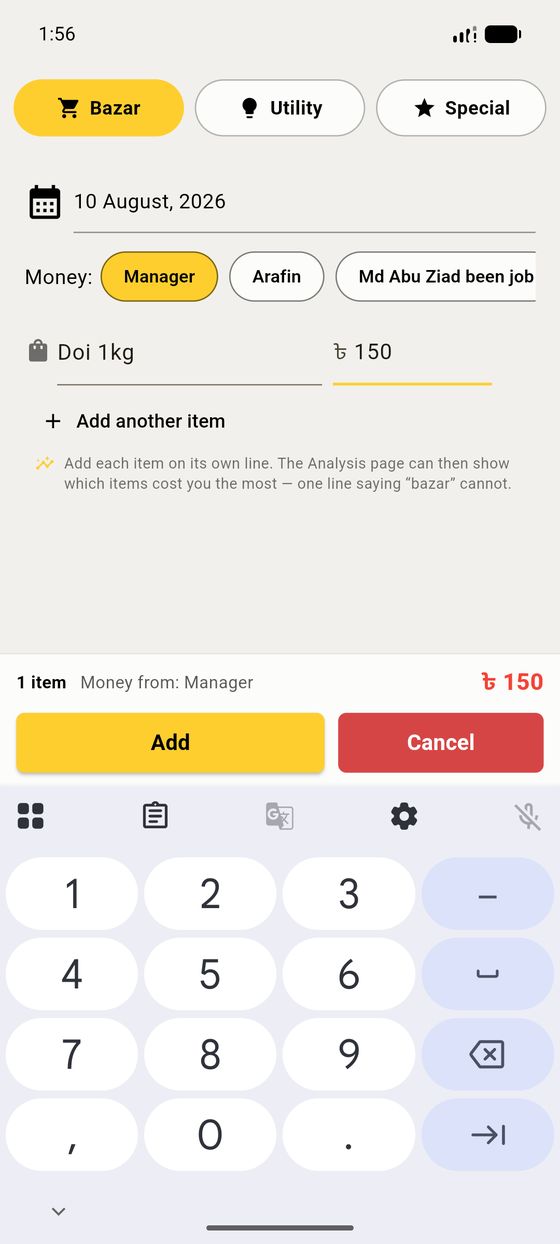
When you add a bazar item you choose Money From:
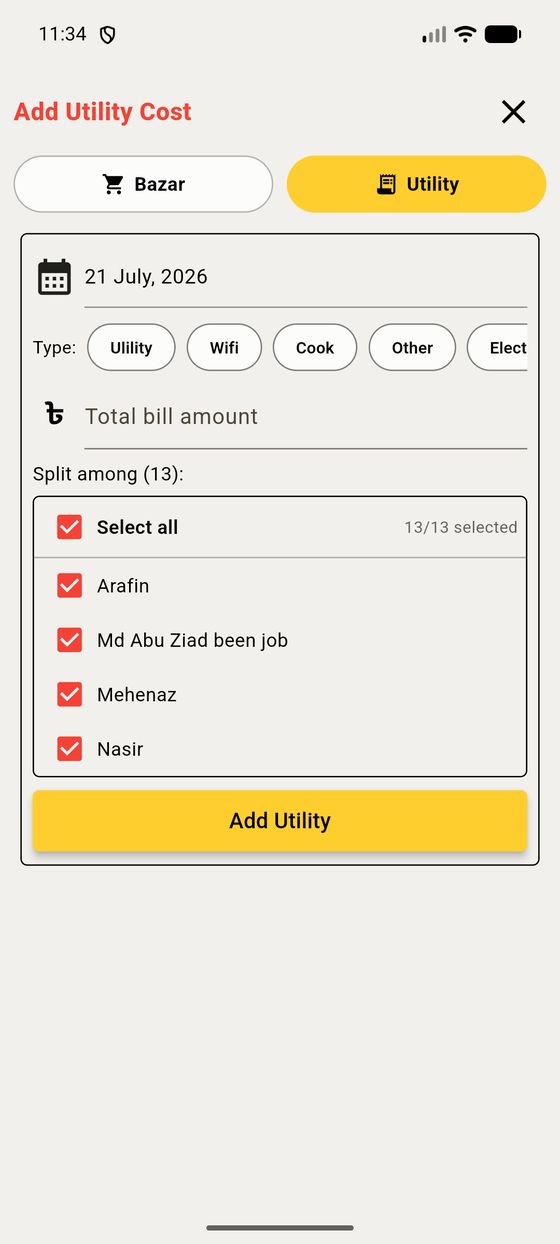
Wifi, gas, the cook's salary, electricity — costs that aren't food. Tap the Utility toggle in the add screen. Enter the total, pick a type, and choose exactly who shares it. The app divides it evenly among them.
Nothing is ever silently changed or lost. Tap the chevron on any bazar or manager entry to expand it and reveal three actions:
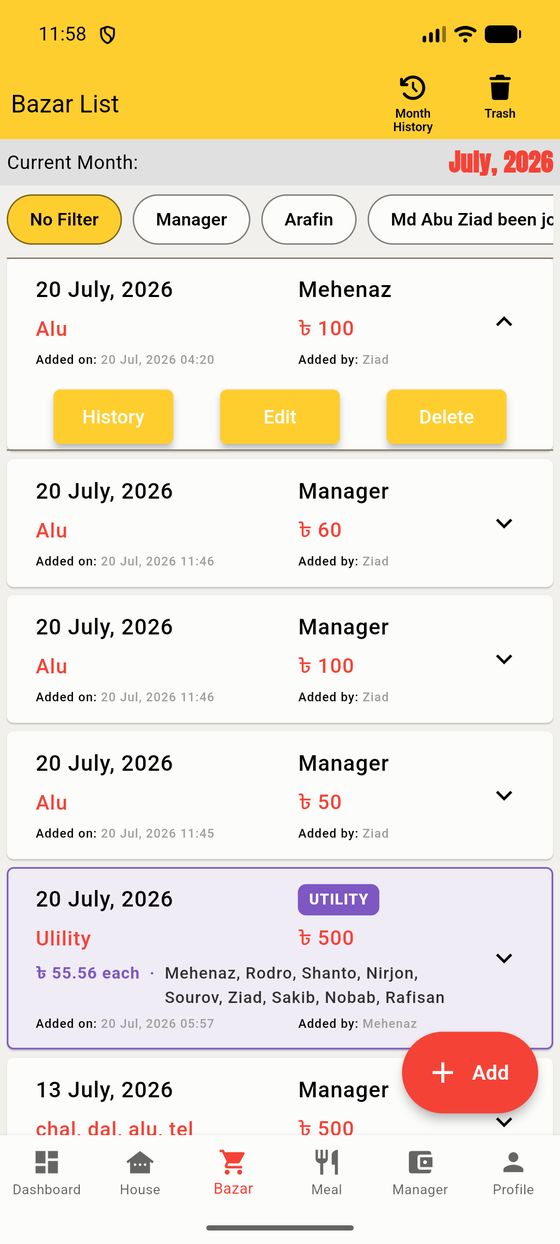
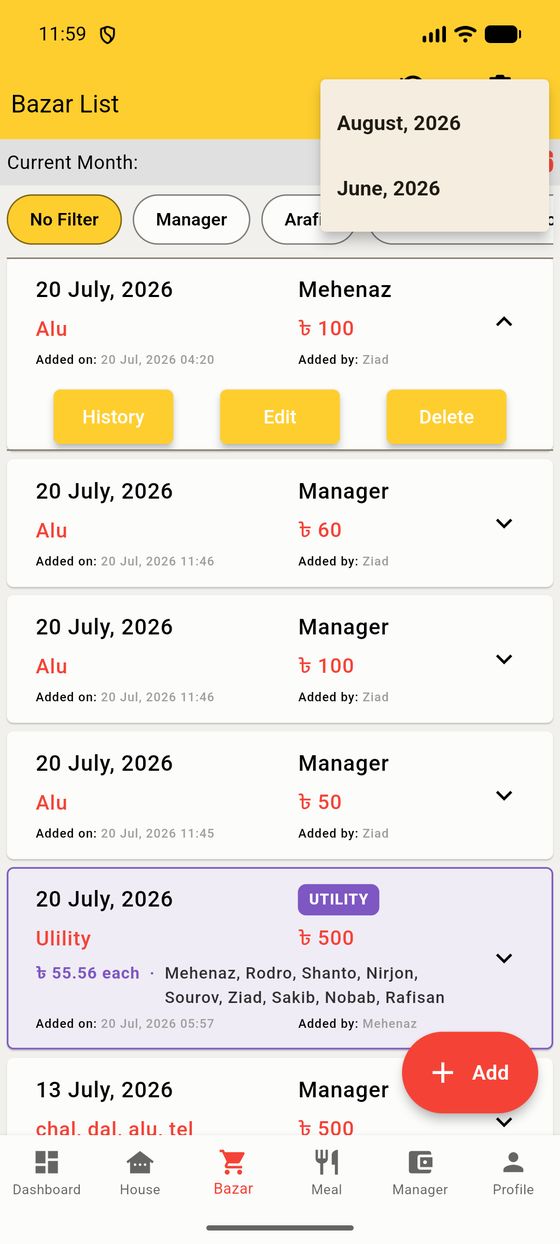
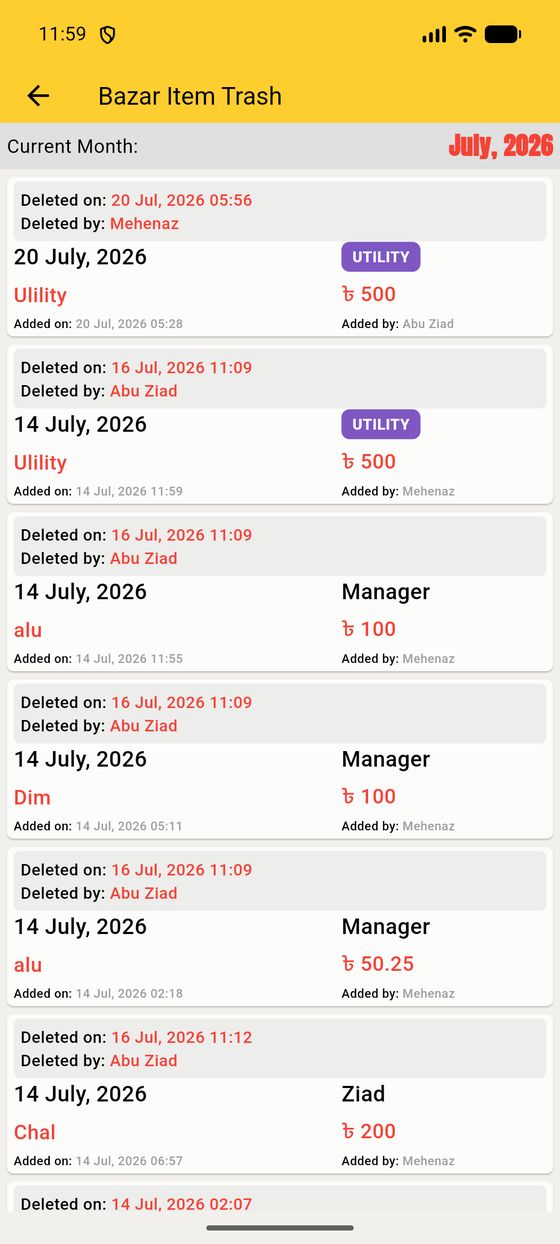
Edit changes an entry and keeps a full History of what it was before (so an edited item is tagged Edited*). Delete moves it to the Trash rather than destroying it. And Month History (top-right) lets you browse any past month's bazar, meals and money as a read-only record.
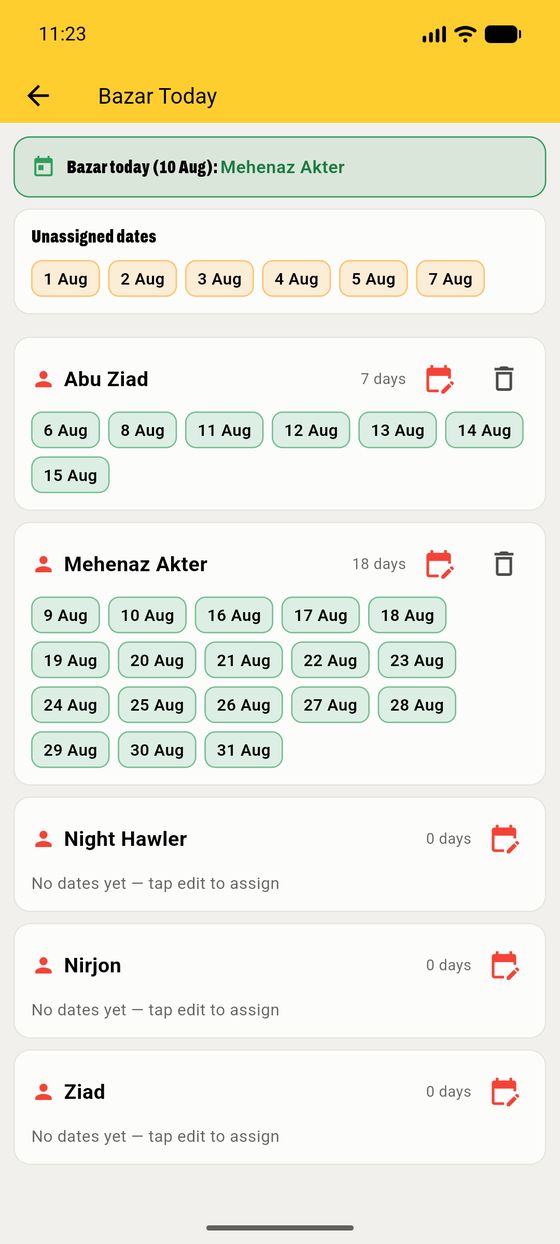
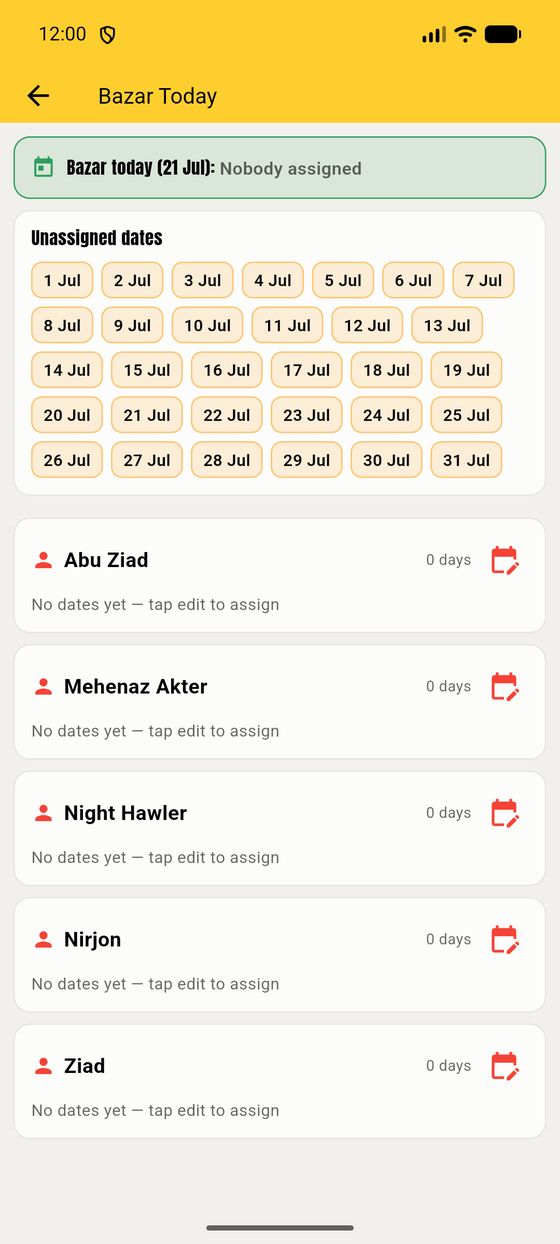
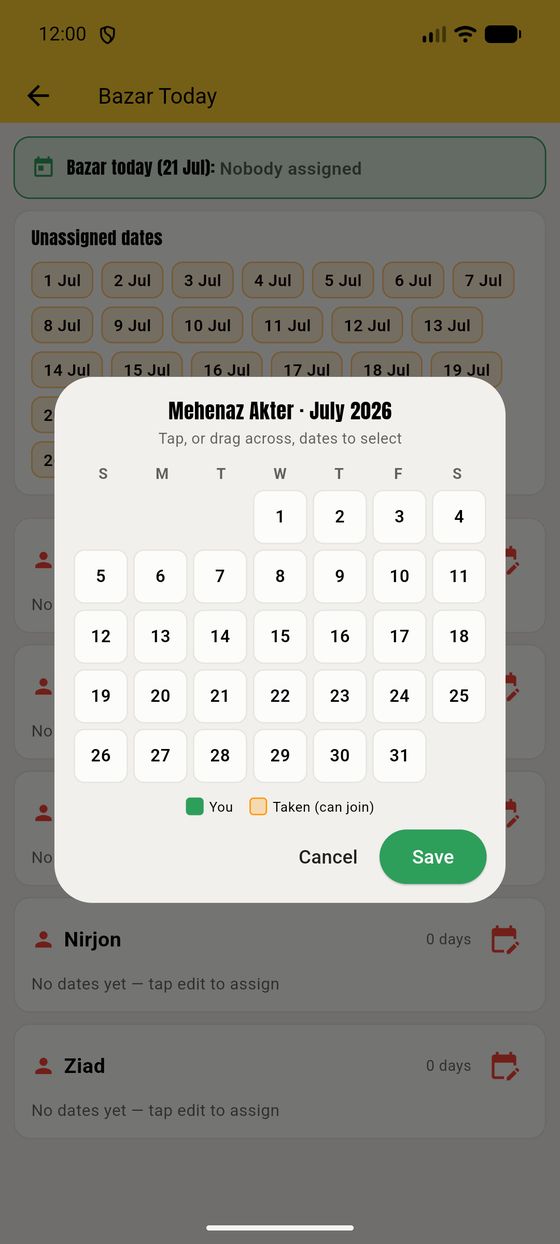
New in 3.3.0: set up whose turn it is to do the bazar each day, so nobody has to ask. Open it from the little pencil on the dashboard's "Bazar today" line.
The Manager tab records money members hand to the manager (the "collection"). Each entry says who gave how much, when, and who logged it.
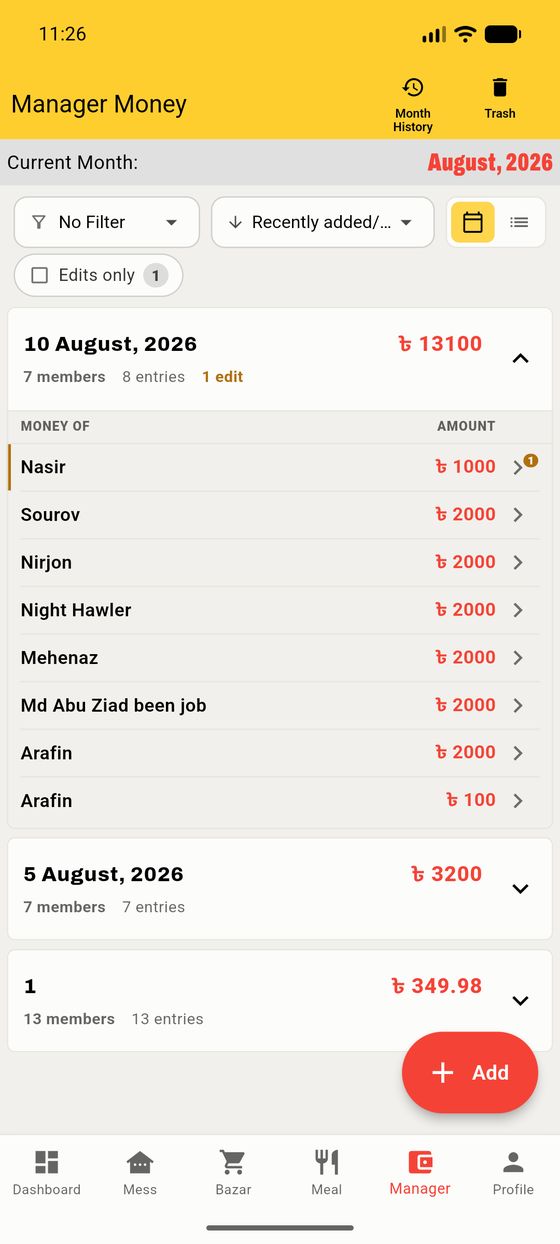
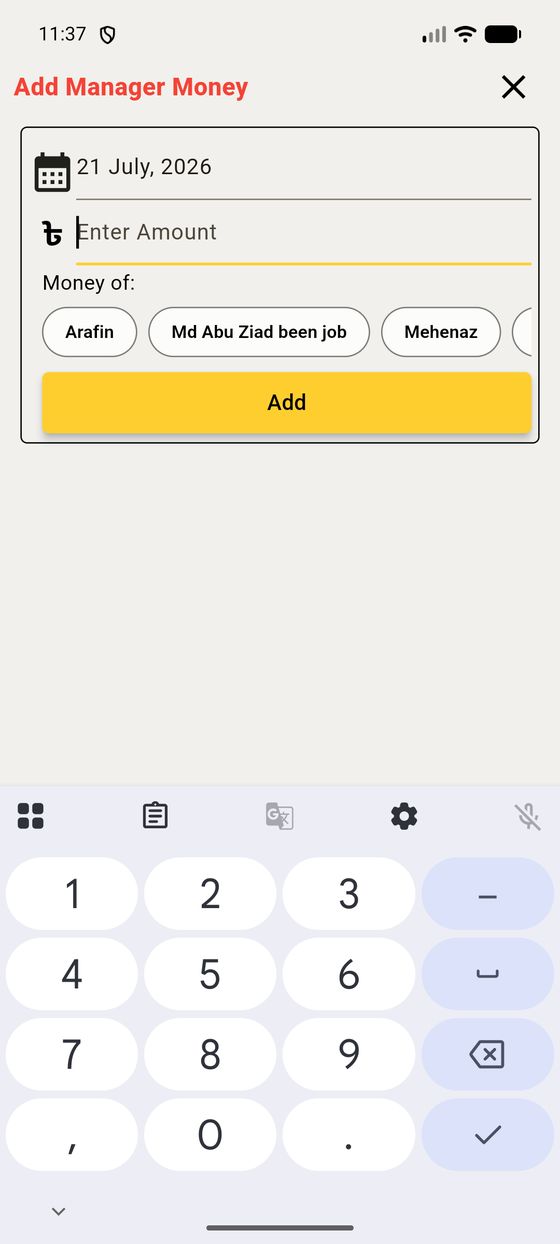
This money is each person's deposit. Balance is what's left after their cost, so a big deposit means a healthy green balance. Like bazar, entries can be edited (with history) or trashed.
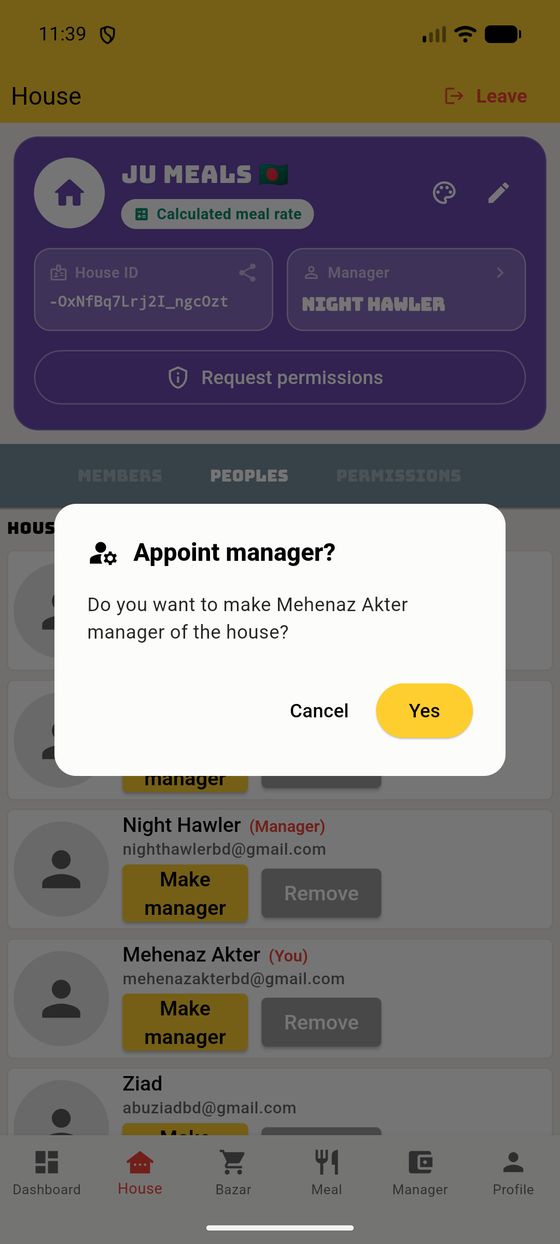
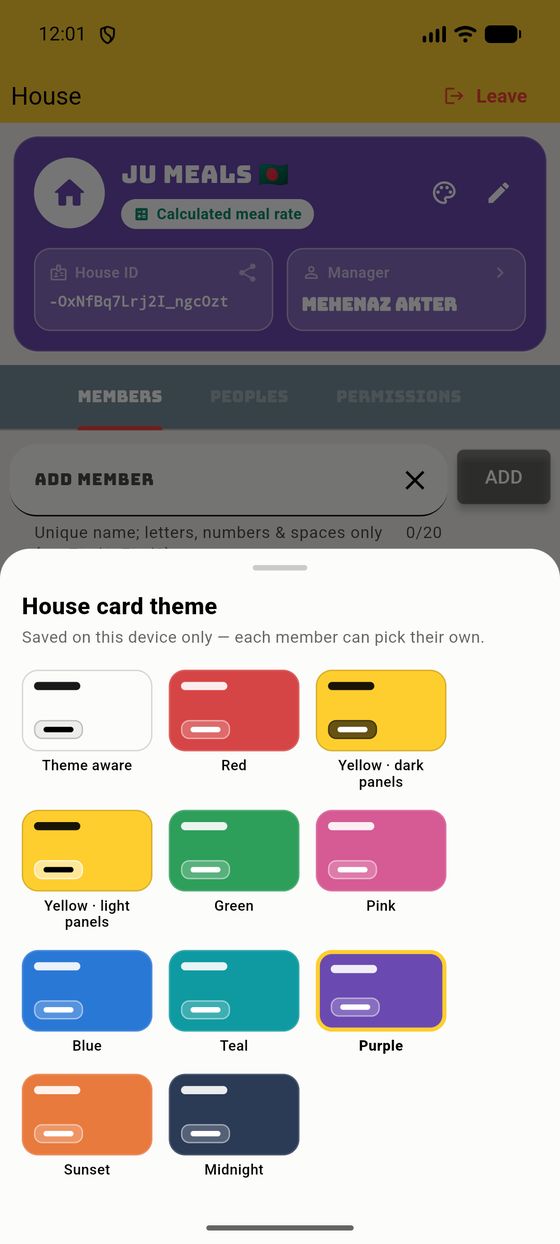
The House tab is where you manage who's in the mess. It has three sub-tabs.
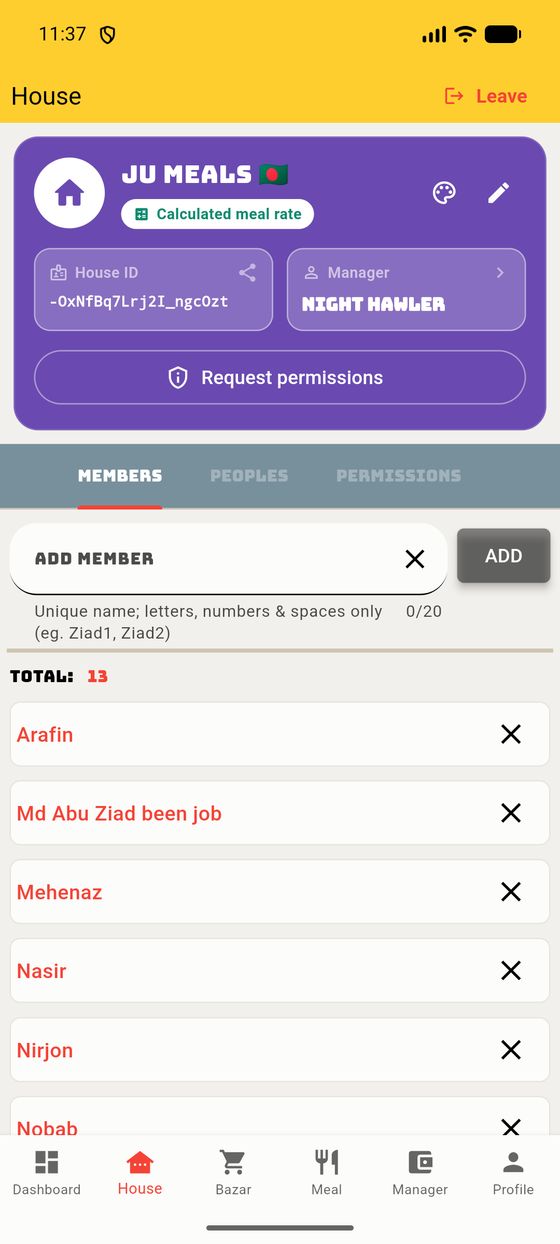
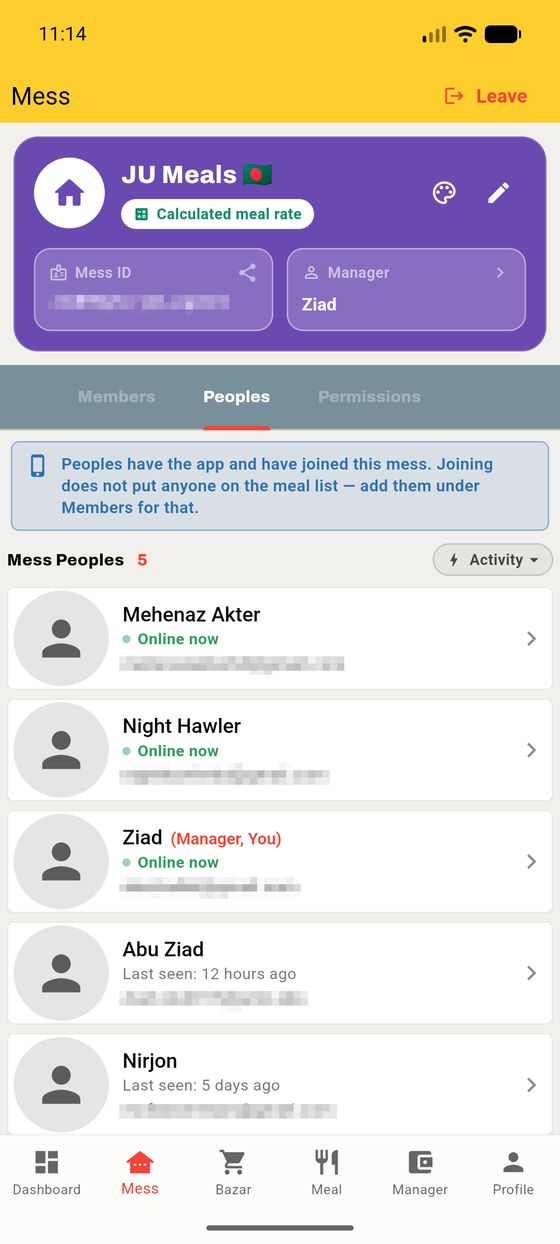
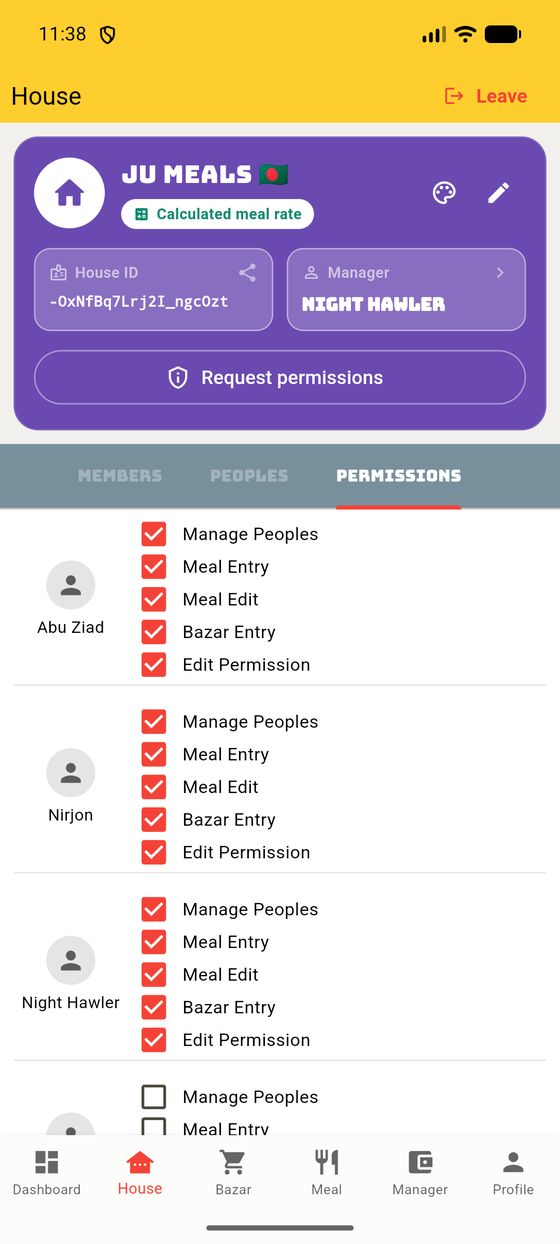
Permissions let the manager decide who can add meals, edit meals, add bazar, manage people, or grant permissions — so you can share the load without handing over the whole house. Members can also request a permission and the manager approves it (§4.3).
Tap Analyse on the dashboard for the visual story of the month. Rebuilt in 4.0 around one idea: the month should add up two different ways, and you should be able to see that it does.
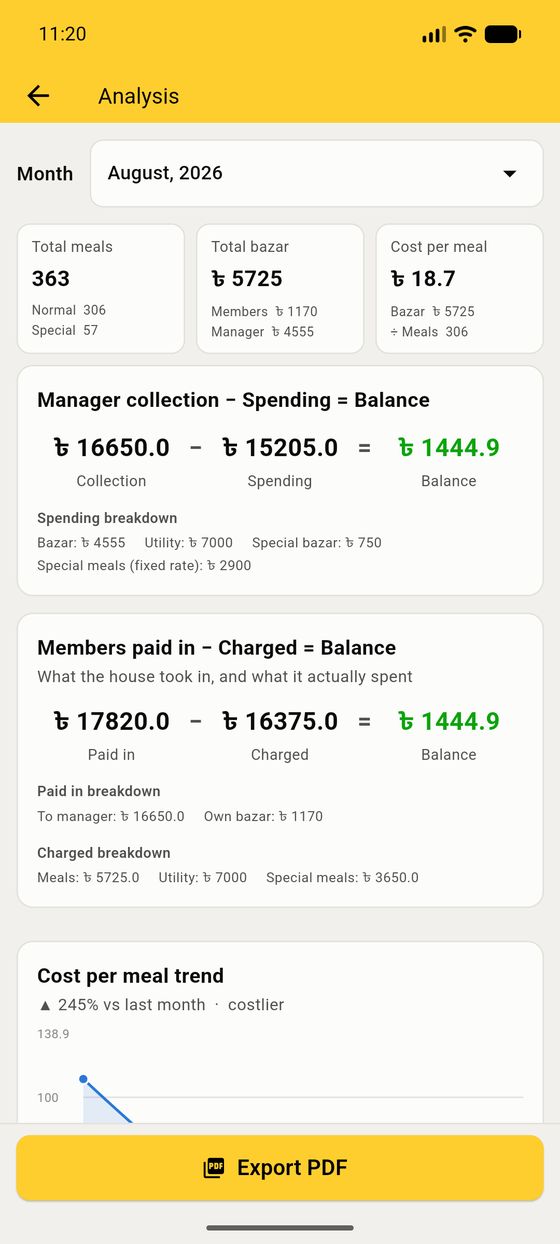
The three tiles at the top are the month in one line: total meals (split normal / special), total bazar (split members’ own money / the manager’s), and the cost per meal with the division that produced it.
What the manager took in, minus what they spent, broken into bazar, utility, special bazar and fixed-rate special meals.
The same month from the other end: what the house handed over (to the manager, plus their own bazar), minus what it was charged (meals, utility, special meals).
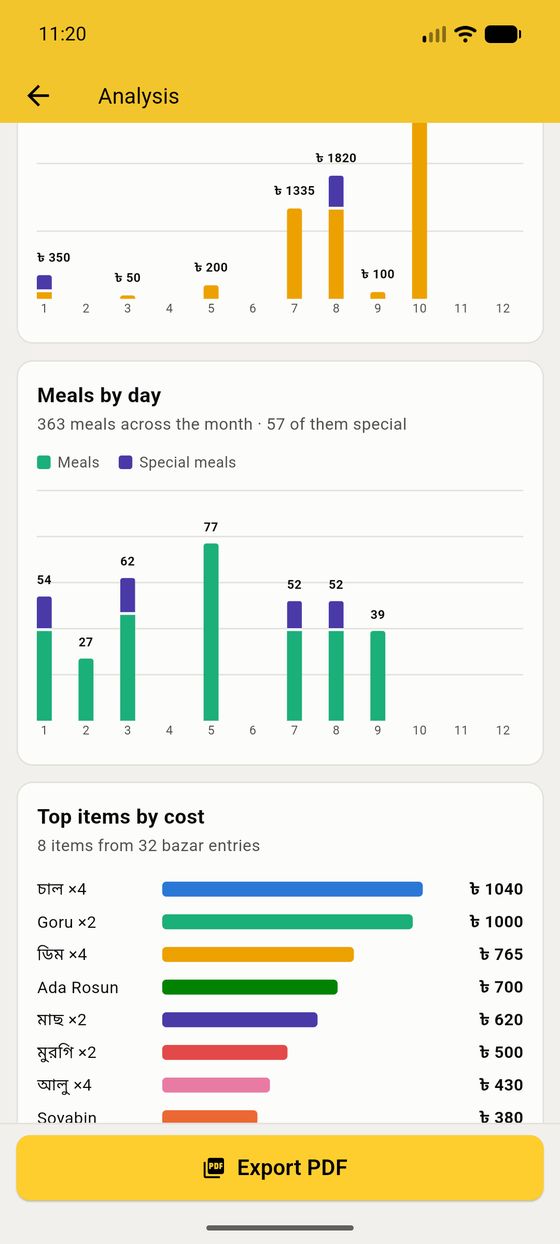
Cost per meal trend — this month against the months before it, with the change stated in plain words ("87% vs last month · costlier").
Bazar by day and Meals by day — a column per day of the month, with the special-meal part stacked on top in violet so a feast day is obvious at a glance. Scroll them sideways for the whole month.
Top items by cost — what the house actually spends on, largest first. Written differently by different people — চাল, chal, rice — and counted as one thing anyway.
Export PDF sits at the bottom of the page, and the month picker at the top lets you read any past month the same way.
After a shaky connection or a lot of edits, tap the calculator icon in the top bar to Recalculate. It rebuilds every total from the raw entries and then shows you a reassuring balance check.
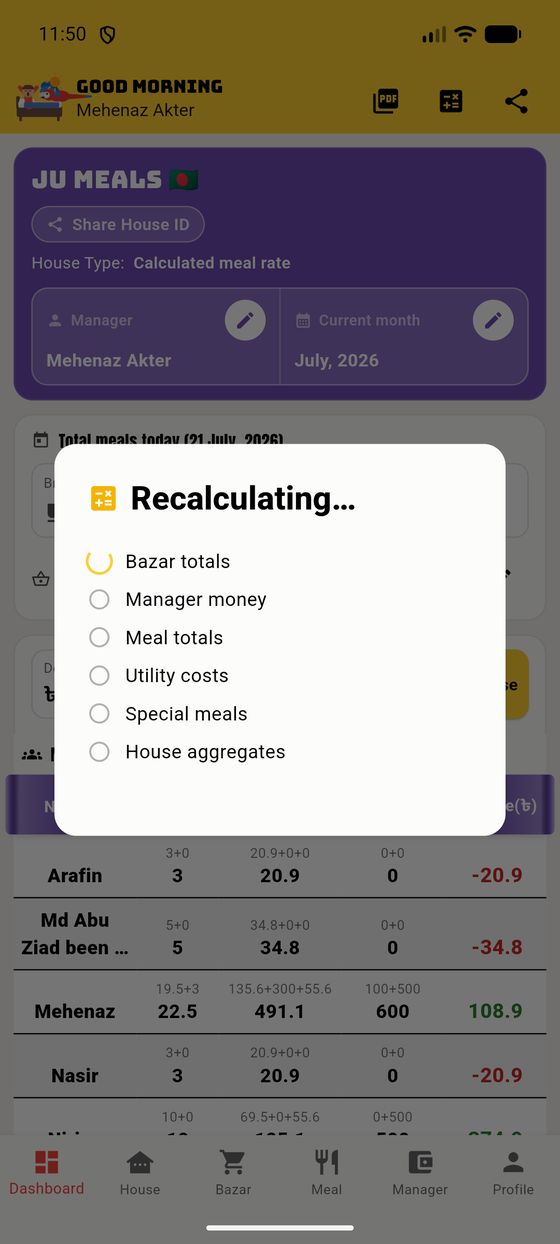
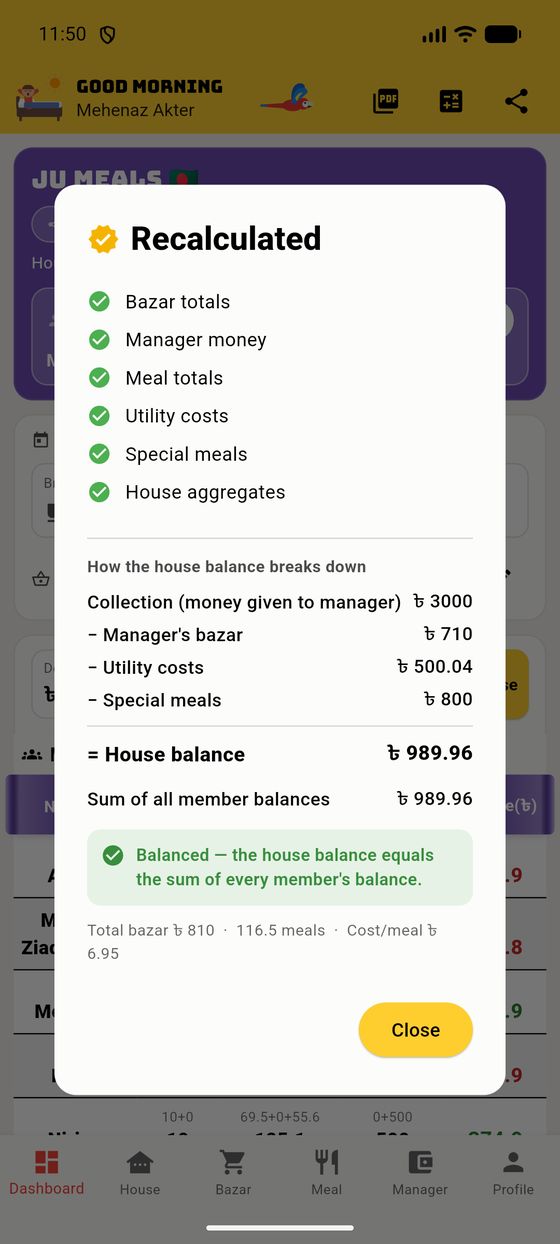
The result dialog spells out the house balance — collection minus the manager's bazar, utility and special-meal spending — and confirms it matches the sum of all member balances. When it says “Balanced”, your books are provably correct.
Tap the PDF icon to turn the month into a shareable report — perfect for pinning on the notice board or sending to the group.
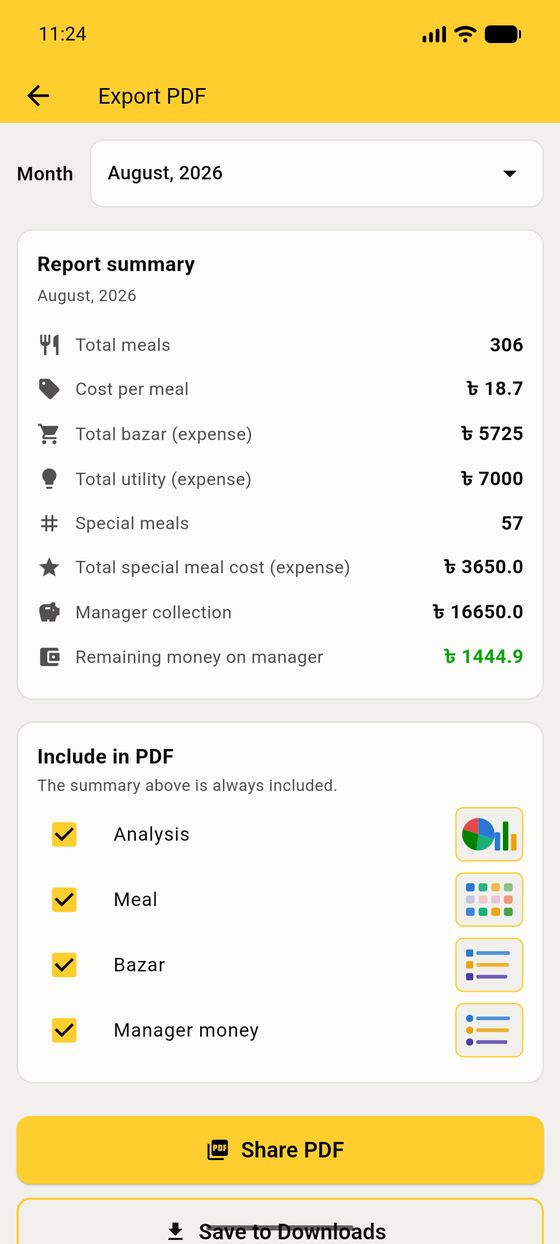
The summary (totals, cost-per-meal, collection, remaining money) is always included; the tick-boxes add the detailed meal grid, the bazar list, the manager-money list and the analysis charts. The PDF supports different currency symbols and languages correctly.
Everything is tracked per month. The house sits on one "current month" that the whole house shares, and only the manager can change it (from the pencil on the house card).
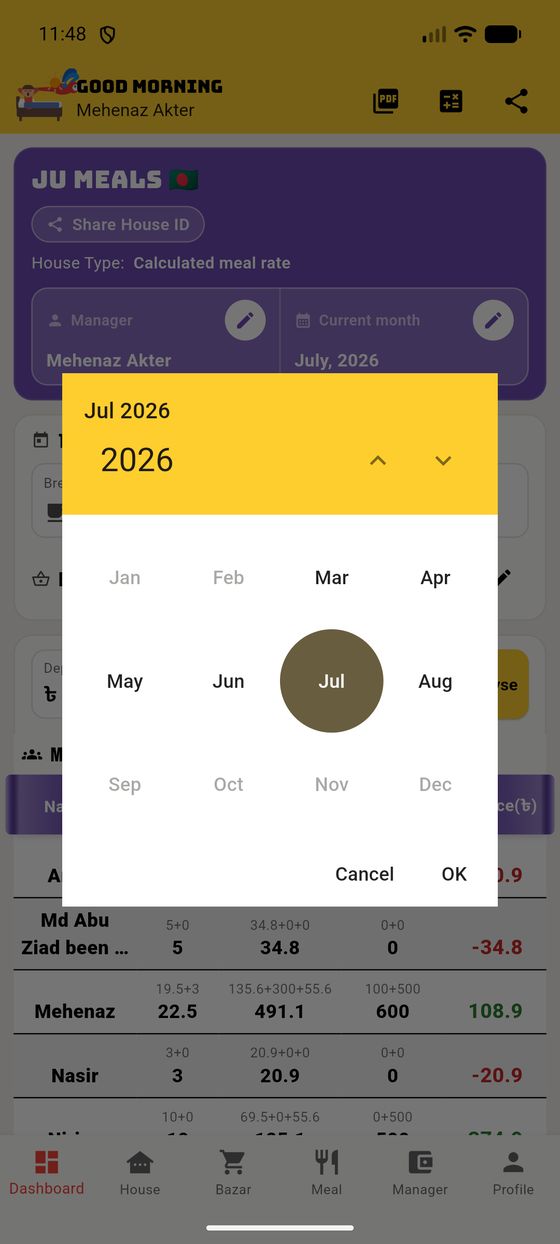
When a new calendar month arrives, the app gently nudges the manager to switch. You can always go back to a past month to fix something — a persistent amber banner reminds you when you're viewing a month that isn't the current one. Members see past months as read-only.
New in 4.0. Somebody has to go to the bazar, and everybody else has to trust the total. This chapter is how the app makes that easy — and honest.
Adding bazar after you get home means remembering eleven prices from a crumpled receipt, on a screen, an hour later. Half the time a line gets forgotten and the month is quietly wrong.
So 4.0 splits shopping into the two things it actually is: deciding what to buy, which the whole house does over several days, and buying it, which one person does in one hour with no signal. They are now two screens, and neither one touches anybody's money until the very end.
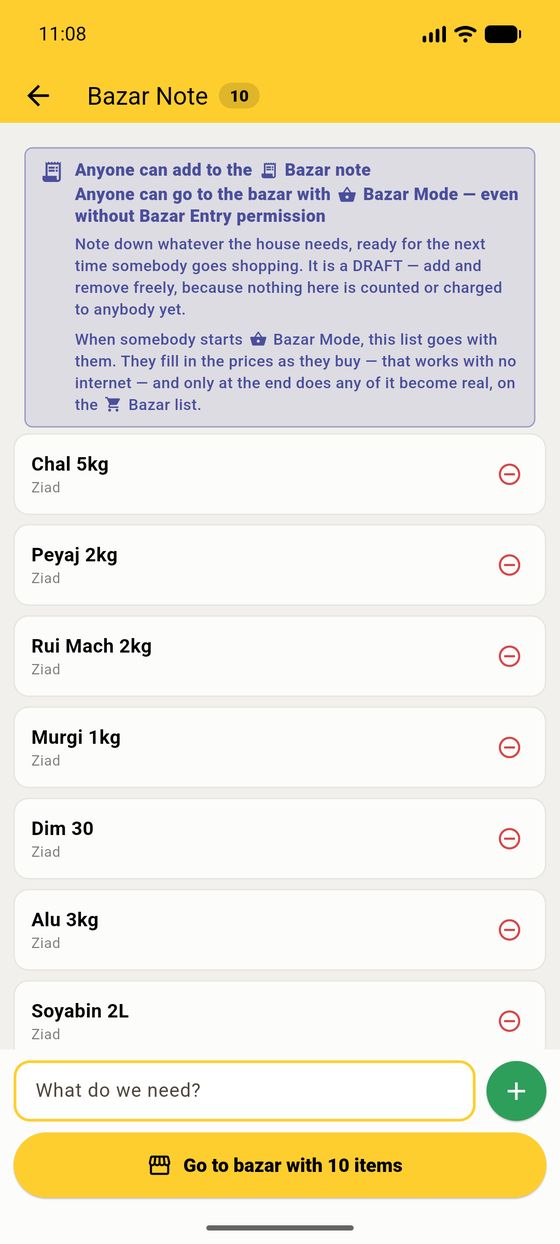
Open it from the Bazar note button on the Dashboard, or from the Bazar tab. Type what is finished — Chal 5kg, Peyaj 2kg — and tap +.
It is a draft. Nothing on it is counted, costed or charged to anybody, so add and remove freely. The badge on the Dashboard button shows how many things are waiting.
Each line carries the name of whoever added it, so "who asked for this?" is answerable. Tap the red minus to strike a line out; it stays visible, struck through, so the removal can be argued with rather than silently happening.
When you are actually setting off, tap Go to bazar with N items. The app asks two things — whose money you are spending and which day this is for — and then the screen turns green.
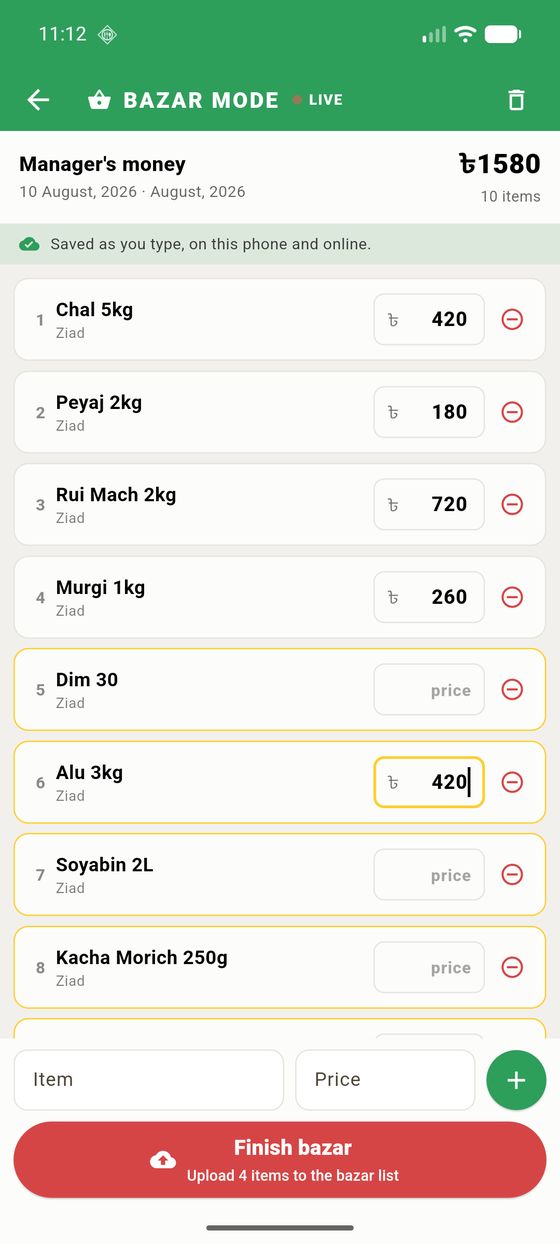
Bought something that was never on the list? Type it into the Item / Price row at the bottom and tap +.
Tap Finish bazar and the app asks the one question nobody could answer in advance — because the same bag of shopping is either the week's groceries or Friday's biriyani, and you only know which when you get to the till.
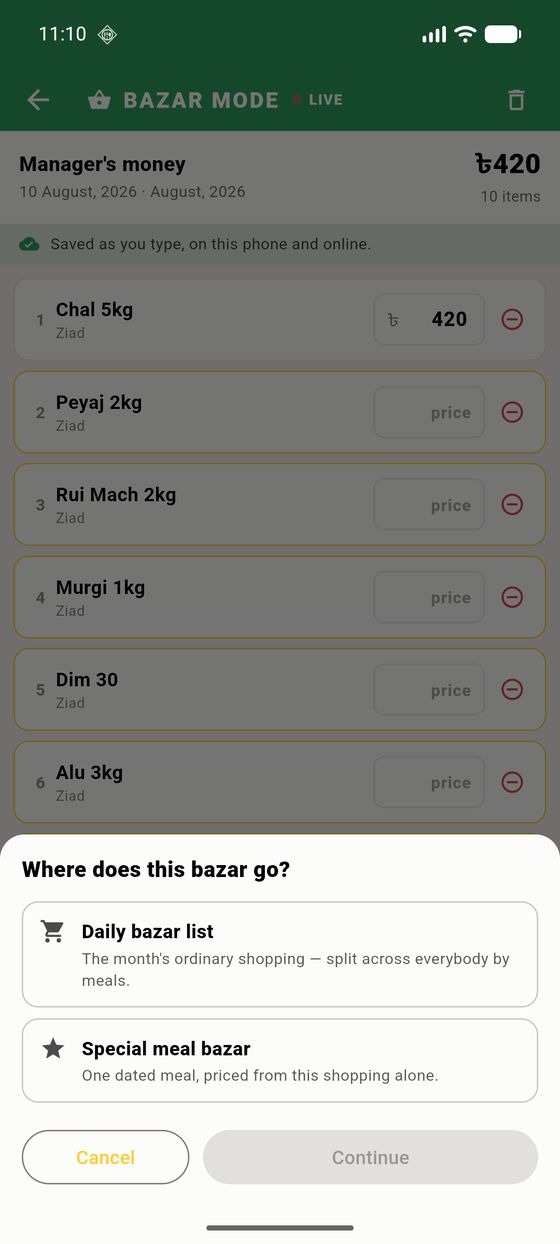
The month's ordinary shopping. It joins the Bazar list, and it is split across everybody by how many meals they ate — the normal way the cost per meal is worked out.
One dated meal, priced from this shopping alone. Pick the day, tick who ate it, and the app shows what each of them pays before anything is filed. This shopping is deliberately kept out of the ordinary cost-per-meal, so one Eid dinner does not make every plain lunch in the month look expensive.
A last confirmation names exactly what is about to happen — how many items, how much, whose money — and warns you about any line you never gave a price to. Unpriced lines are not filed: a line with no price is not a purchase, and filing it would put a ৳0 row into the month. It stays on the Note instead.
In a house with a manager, filing bazar is a permission. But the shopping still happened, and the prices are on the shopper's phone and nowhere else.
So the app does not refuse. It hands over: the finished trip, every price intact, goes to the house, and a banner tells whoever can file it that it is waiting. They open it, check it, and file it — or send it back with a note, in which case the shopper keeps everything and can change it and send it again.
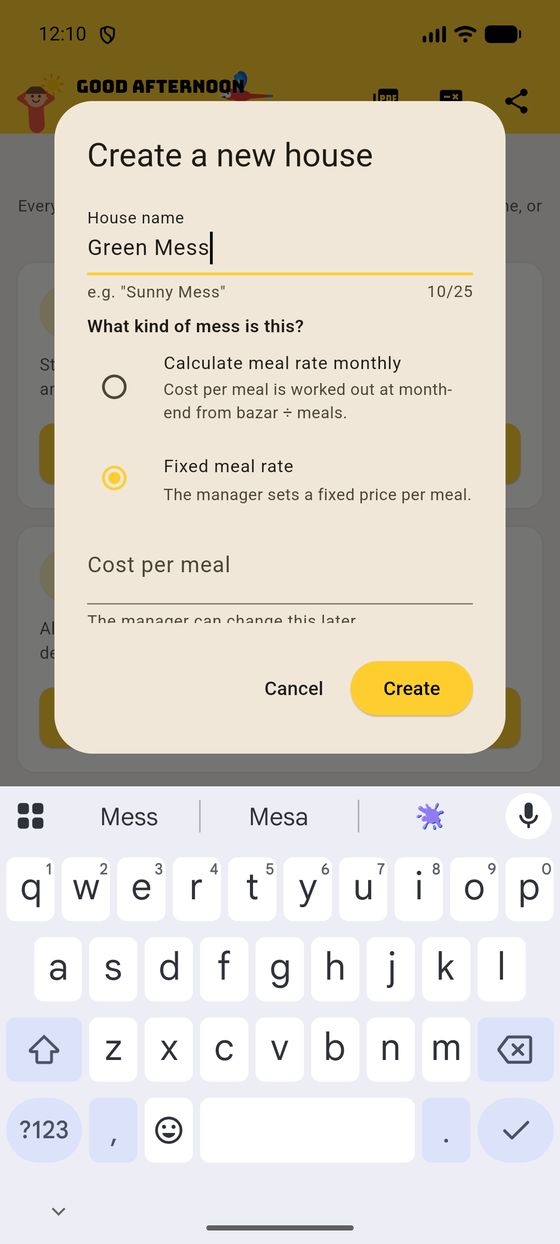
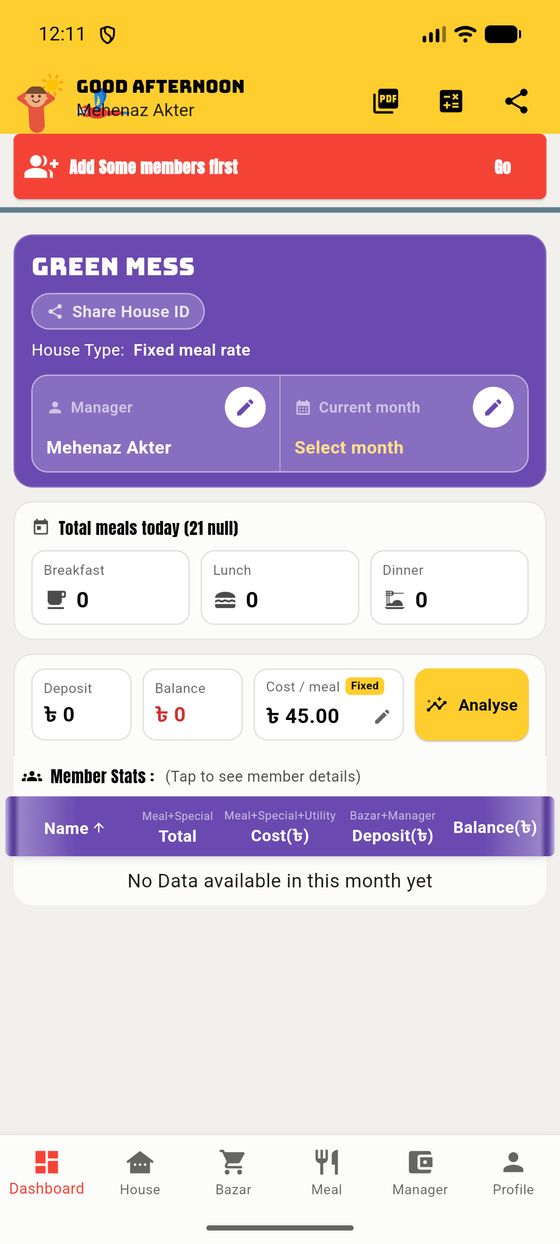
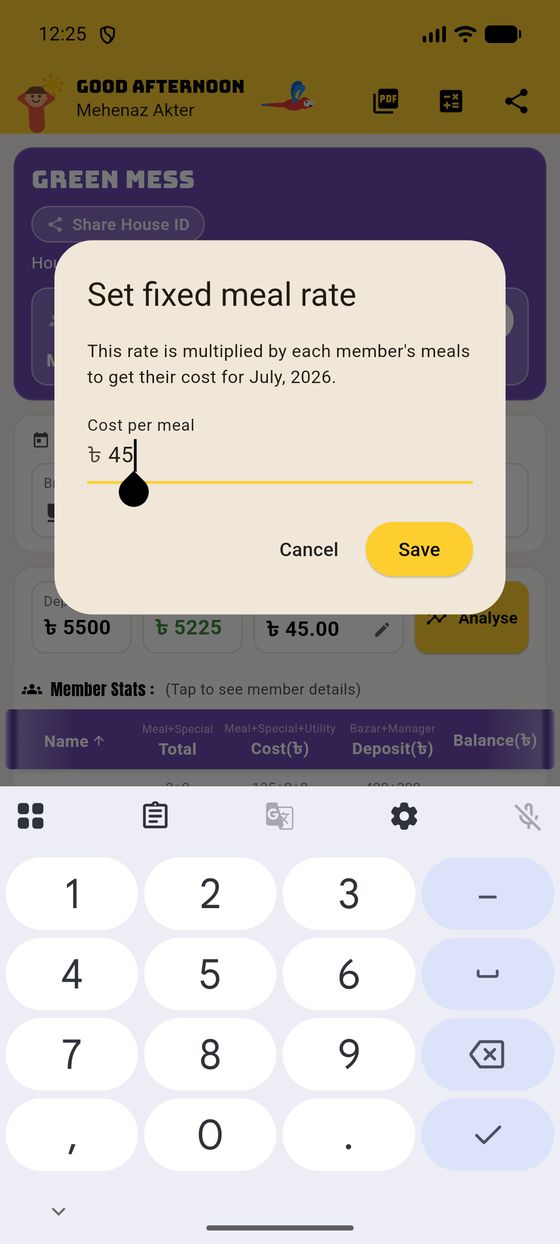
Same app, same screens — but the cost of a meal is a number the manager sets, not one the app derives. We'll build a demo house, "Green Mess", at ৳45 a meal.
Here there's no "bazar ÷ meals". The manager decides one price per meal for the month, and every person's meal cost is just:
Deposit and balance work exactly as before (deposit − cost). The big difference is what happens to bazar: since the meal price is fixed, pooled/manager bazar no longer sets the rate. A member's own bazar still counts as their credit.
| Calculated house | Fixed house | |
|---|---|---|
| Cost per meal | Worked out: bazar ÷ meals | Set by the manager (e.g. ৳45) |
| Manager / pooled bazar | Raises the cost per meal | Doesn't change the rate |
| A member's own bazar | Their credit (deposit) | Their credit (deposit) |
| Utility & special meals | Same — added to Cost | Same — added to Cost |
| Balance | Deposit − Cost, in both | |
We set the rate to ৳45, added five members, gave everyone breakfast+lunch+dinner for the day (3 meals each), recorded different manager deposits, and let Jamal buy ৳400 of bazar himself. Watch it all land on the dashboard:
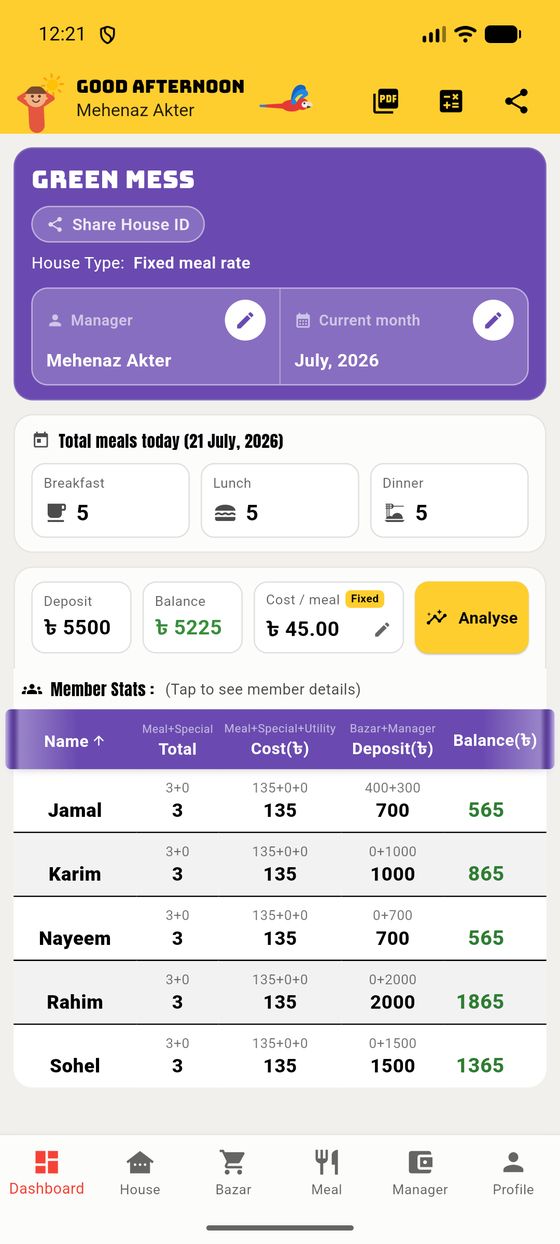
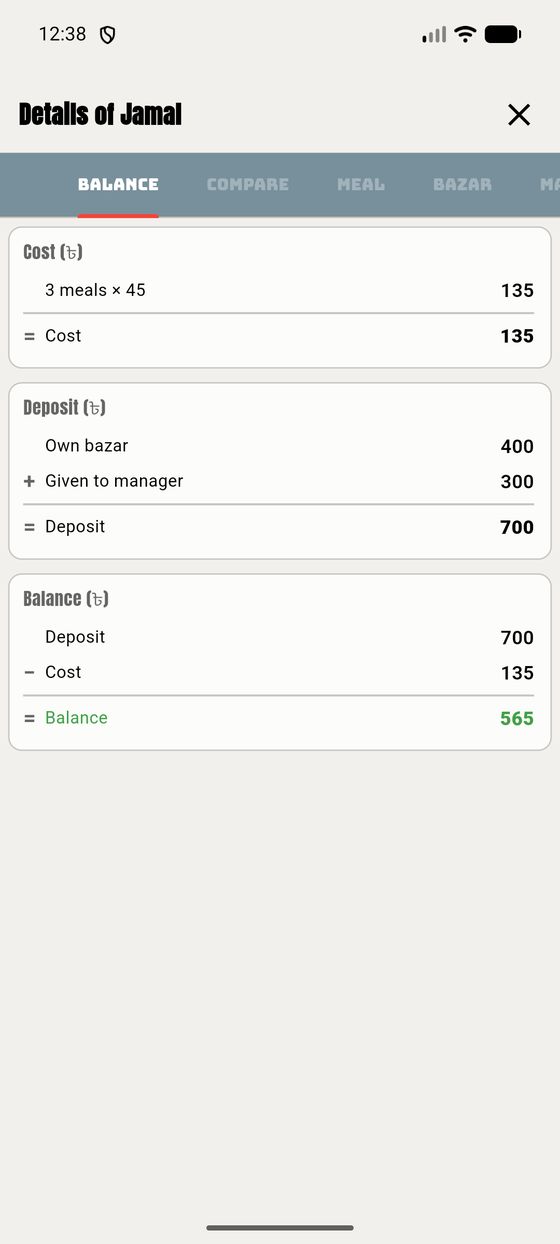
Notice how the fixed rate flows straight through: nobody's cost depends on how much anyone else spent. Jamal's own ৳400 bazar simply boosts his deposit, so his balance is comfortably green.
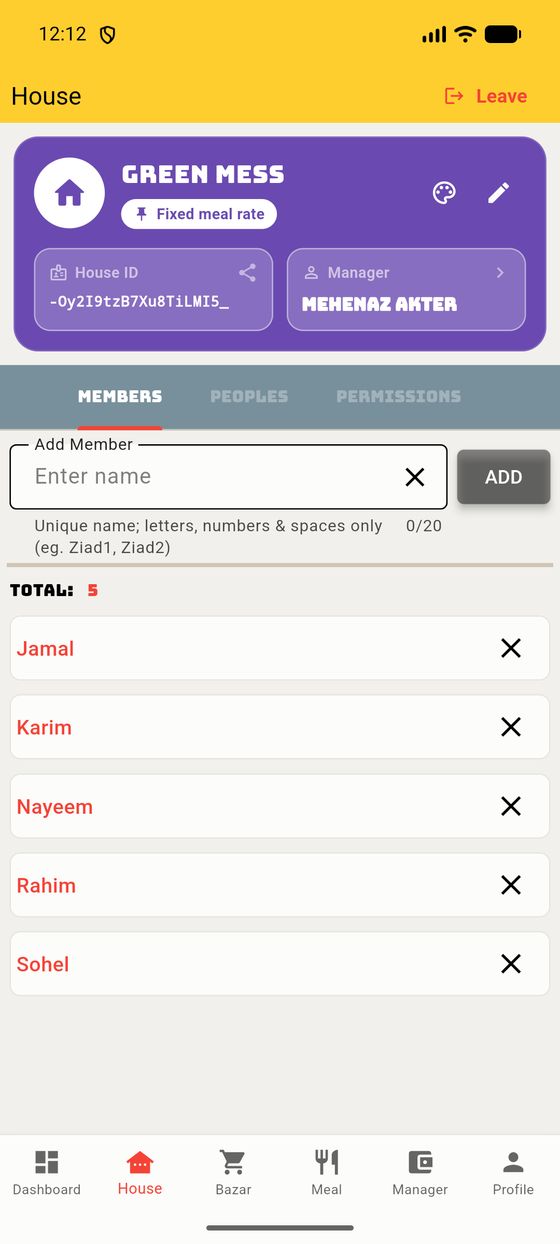
Members and money are added exactly as in a calculated house — same Meal grid, same Manager tab.
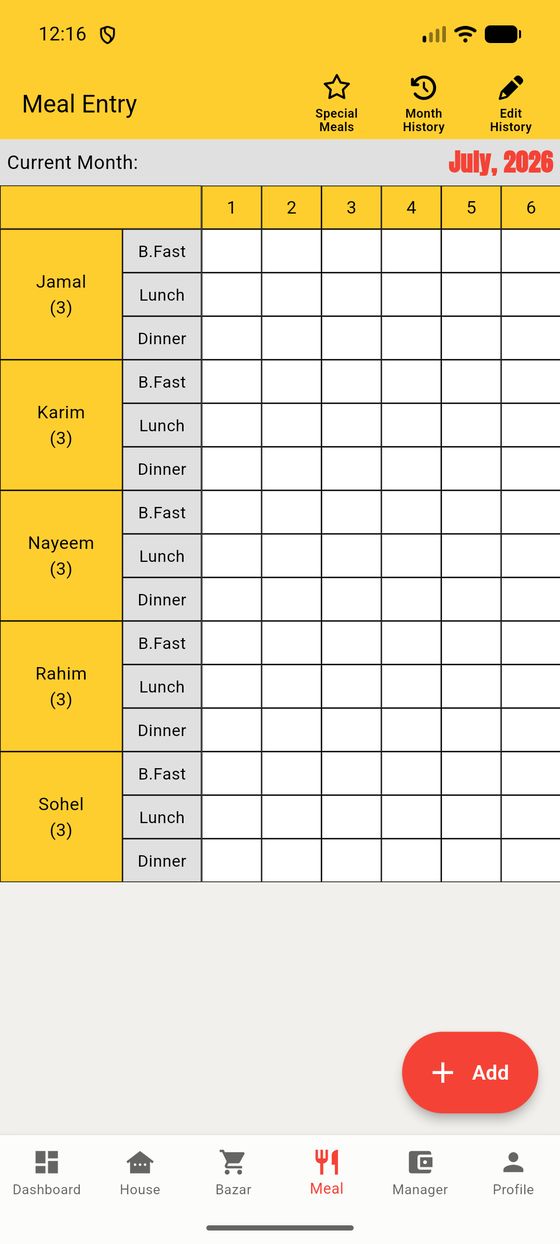
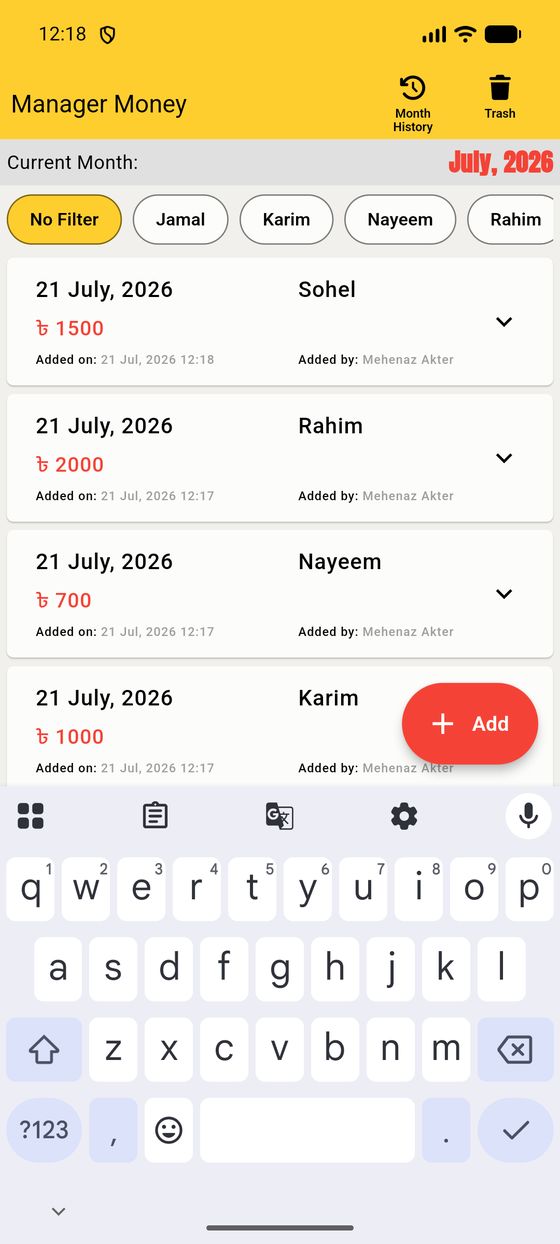
The bits that work the same in every house — and how to make the app yours.
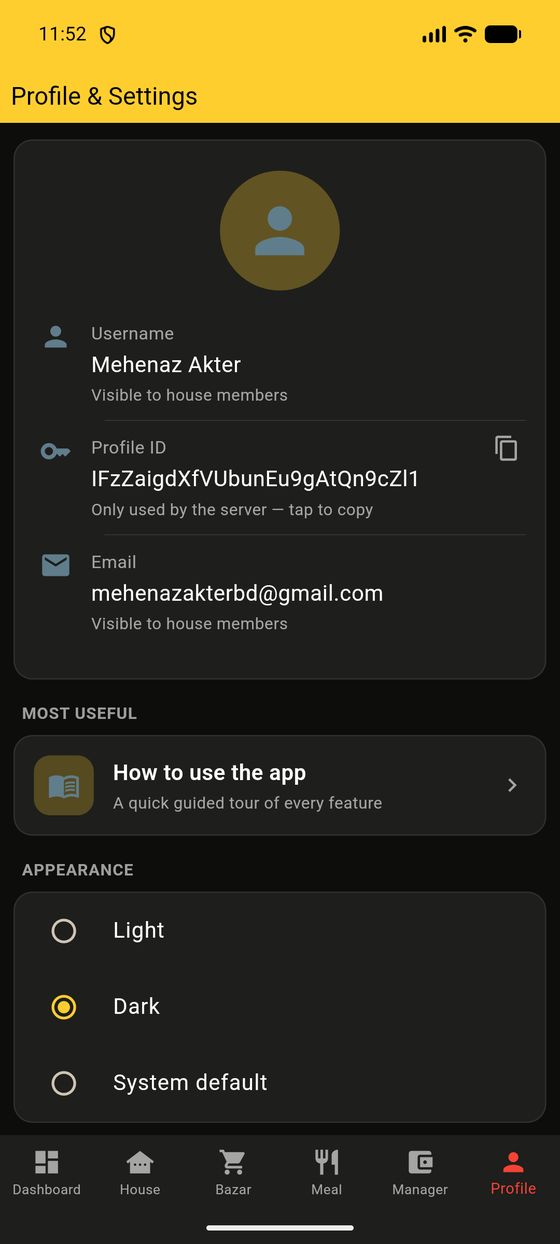
The Profile tab is your personal corner. Your username and email are visible to housemates; tap your Profile ID to copy it. There's also a built-in “How to use the app” tour if you ever want a refresher.
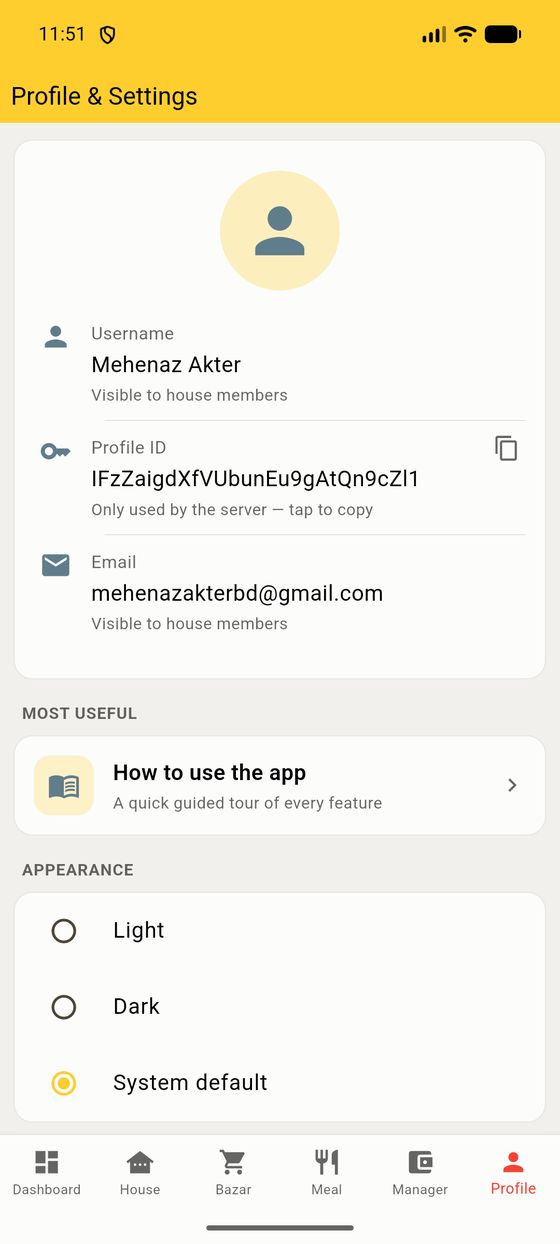
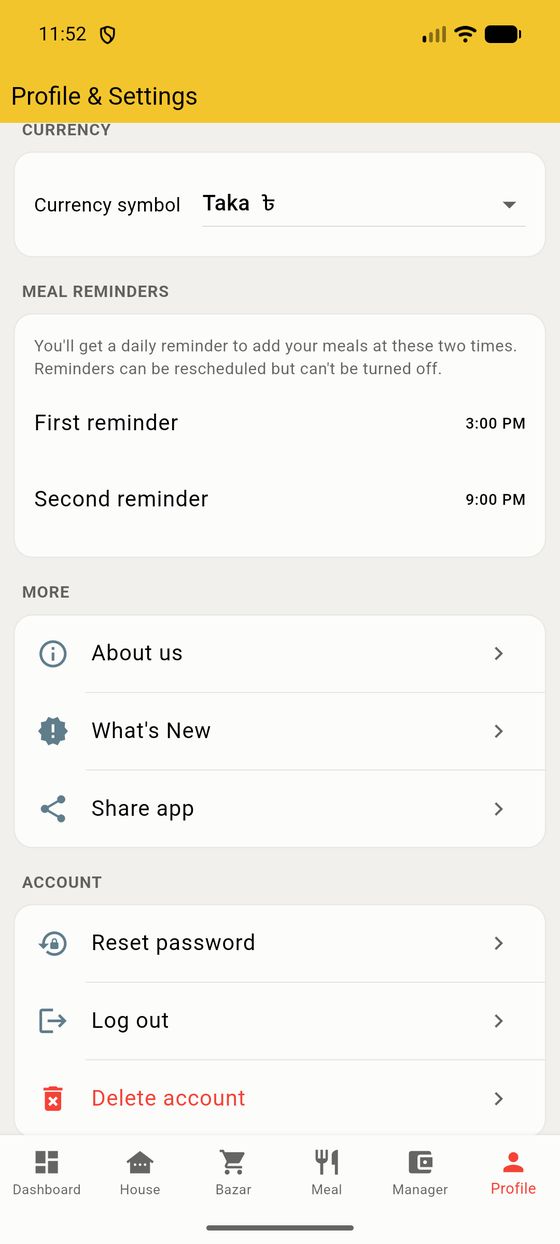
Currency — pick your symbol (Taka ৳ by default); it's used everywhere, including the PDF.
Meal reminders — two daily nudges (default 3:00 PM and 9:00 PM) so you never forget to log your meals. You can move the times, but they stay on so the house data stays complete.
Under Appearance, choose Light, Dark, or System default. Dark mode is fully designed — not just inverted — so it's easy on the eyes at night.
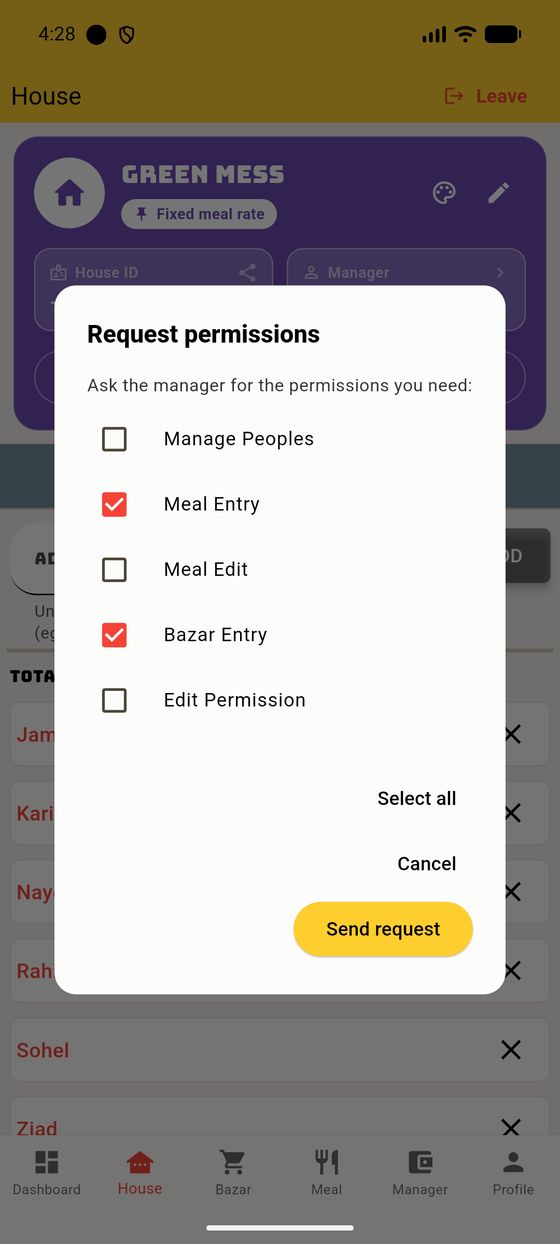
You don't have to be the manager to help run the house. A member can request the permissions they need, and the manager approves them in a tap. Here's the full round-trip.
On the House card, a member taps Request permissions. The dialog lists only the permissions they don't already have — tick the ones you need and tap Send request.
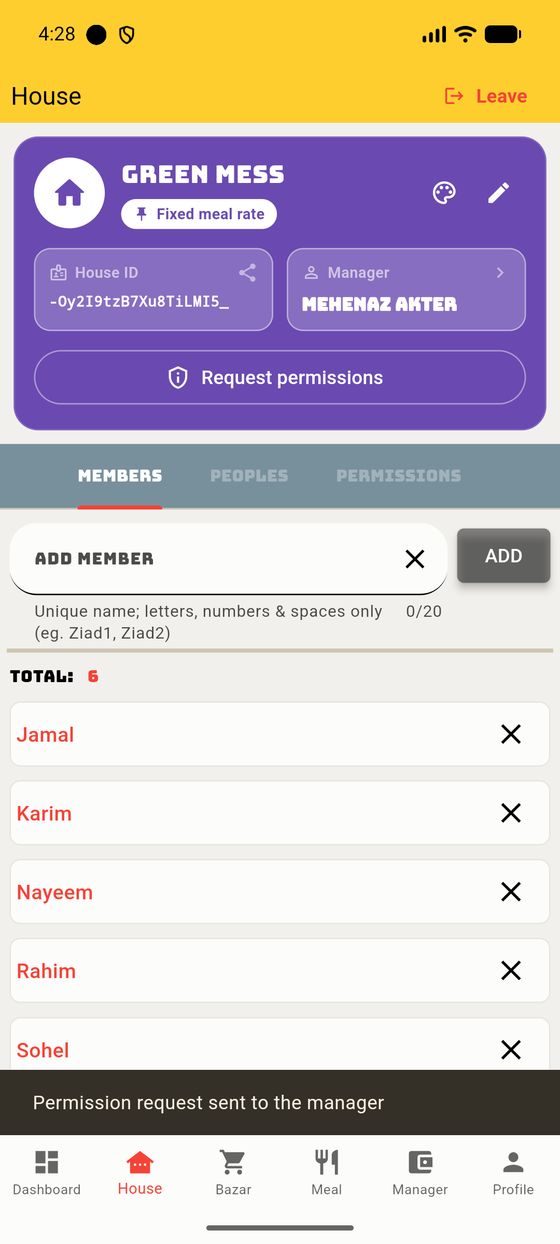
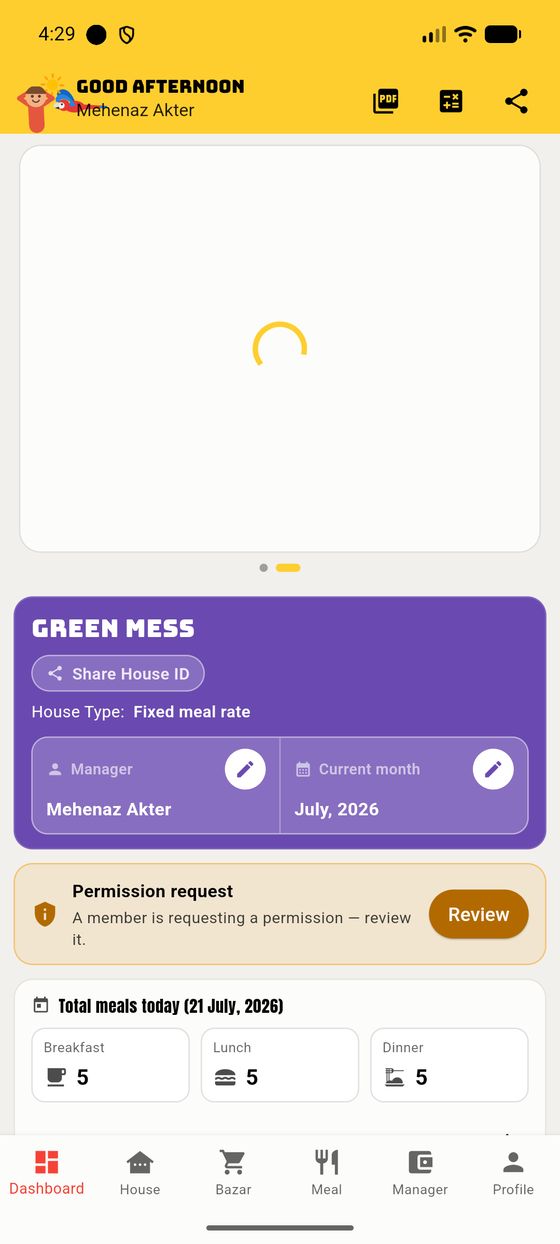
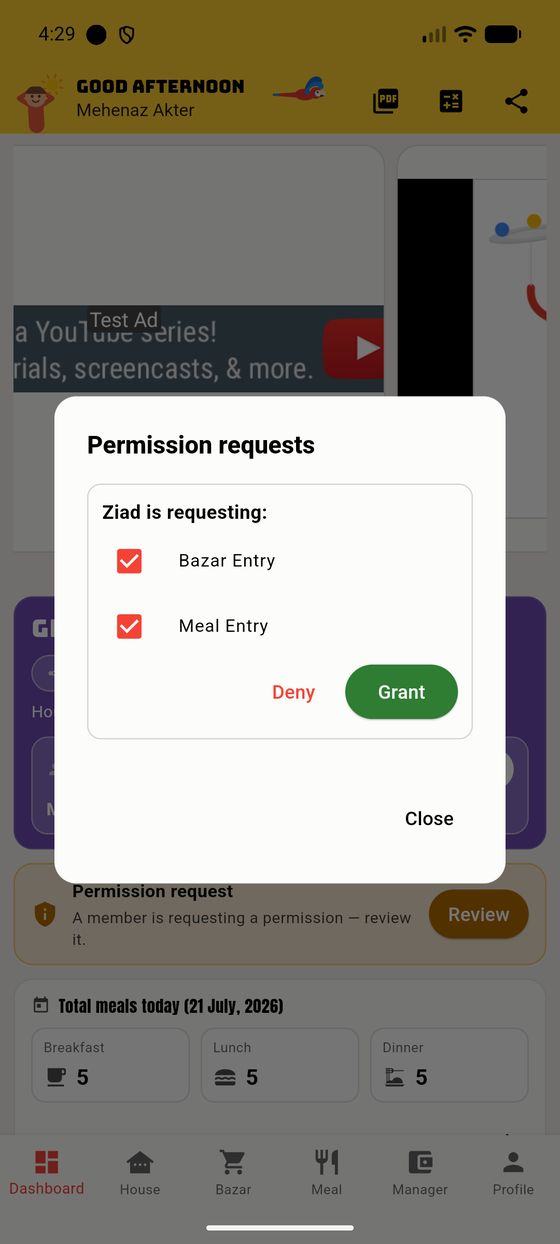
The manager sees the member's name and the requested permissions, and grants them all in one tap (or denies). Granting flips those switches on in the Permissions sub-tab immediately, and the banner clears.
A house doesn't need a designated manager. If the person who is manager leaves without appointing anyone, the house simply becomes a no-manager house — and then everyone acts as manager: any member can switch the month, edit the rota, manage people, and so on.
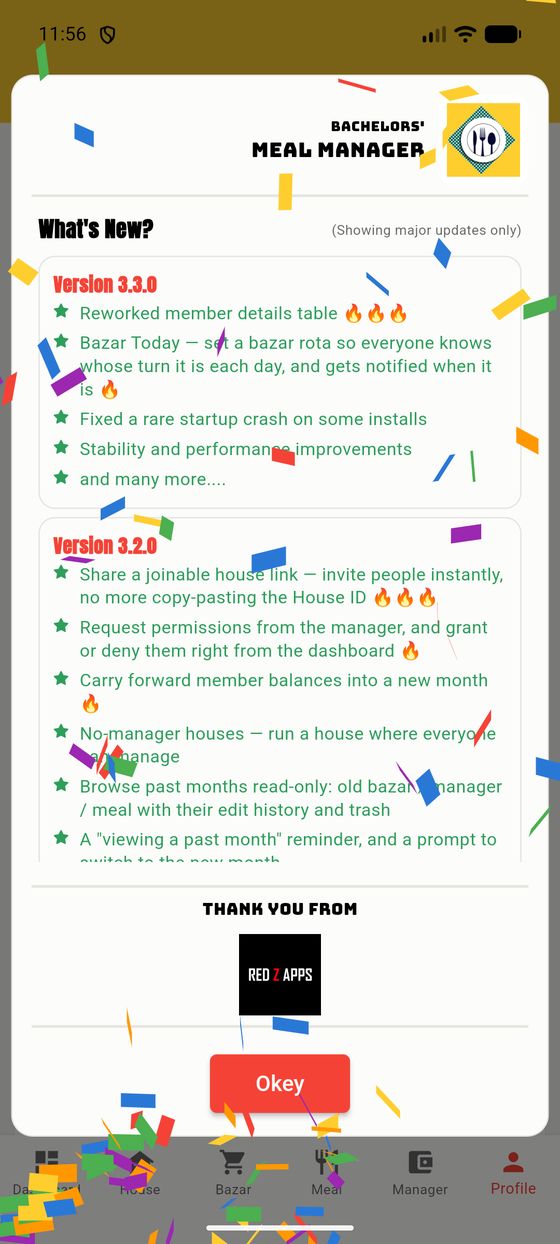
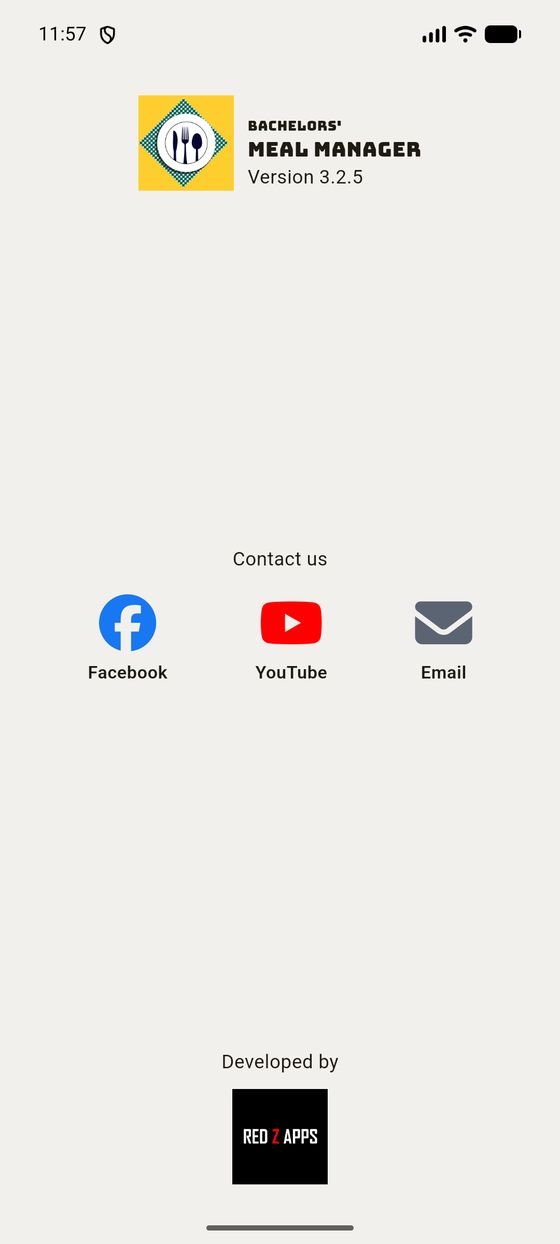
Tap What's New to see the highlights of each update, About for the version and contact links, and How to use the app for a quick guided tour of every feature any time you need a refresher.
New in 4.0, and the section most worth reading if you are ever somewhere with one bar of signal.
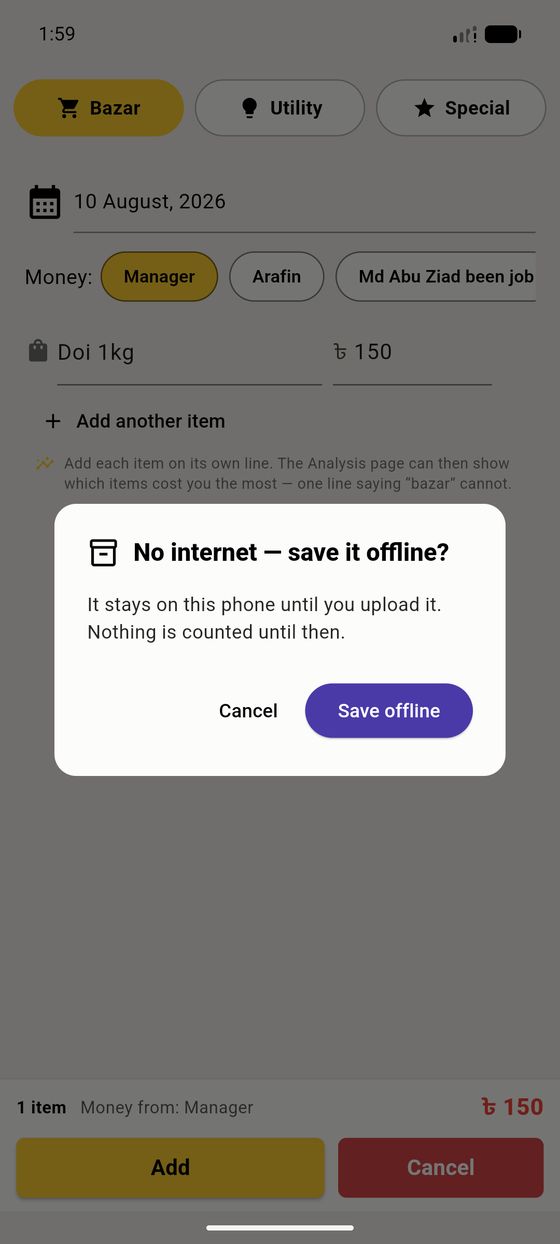
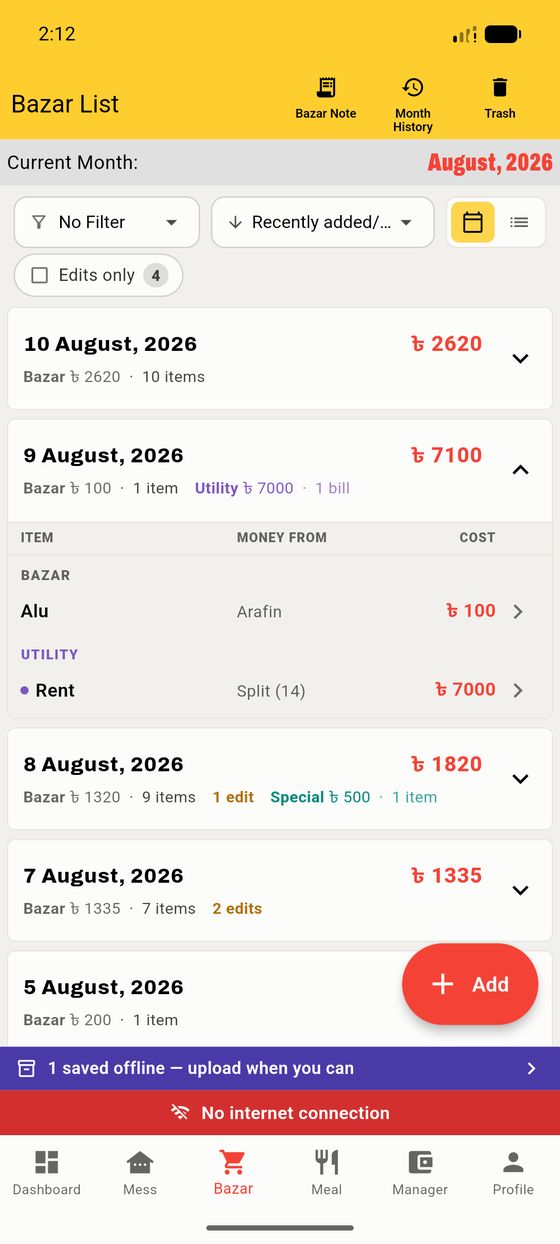
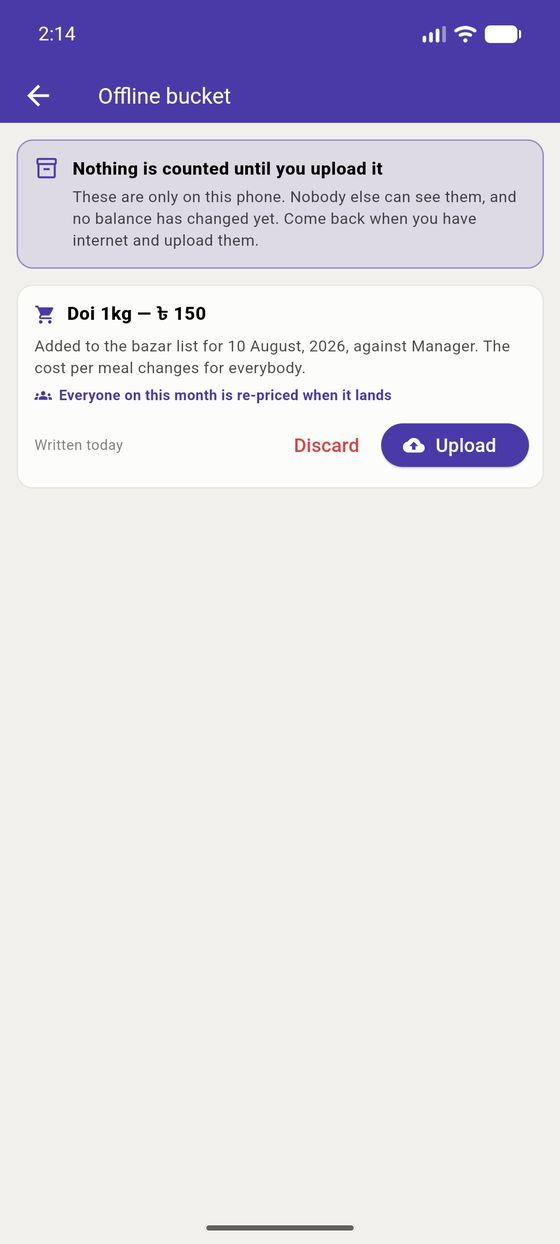
Nothing you save offline is counted, charged or visible to anybody else until you upload it. That is deliberate: a bazar entry sitting on one phone must not move thirteen other people's balances behind their backs.
Each waiting entry says in plain words what it will do when it lands — "Added to the bazar list for 10 August, against Manager. The cost per meal changes for everybody." — so you can decide whether it is still right before you send it.
The Dashboard shows a small ● 3 online count; tap it, or open House → Peoples, for the full list.
Everyone is either Online now or carries a last seen time — "12 hours ago", "5 days ago". It answers exactly one question, and it is a useful one: whether the person you are waiting on has even opened the app yet.
The Activity button at the top right re-sorts the list by who has been most active, rather than alphabetically.
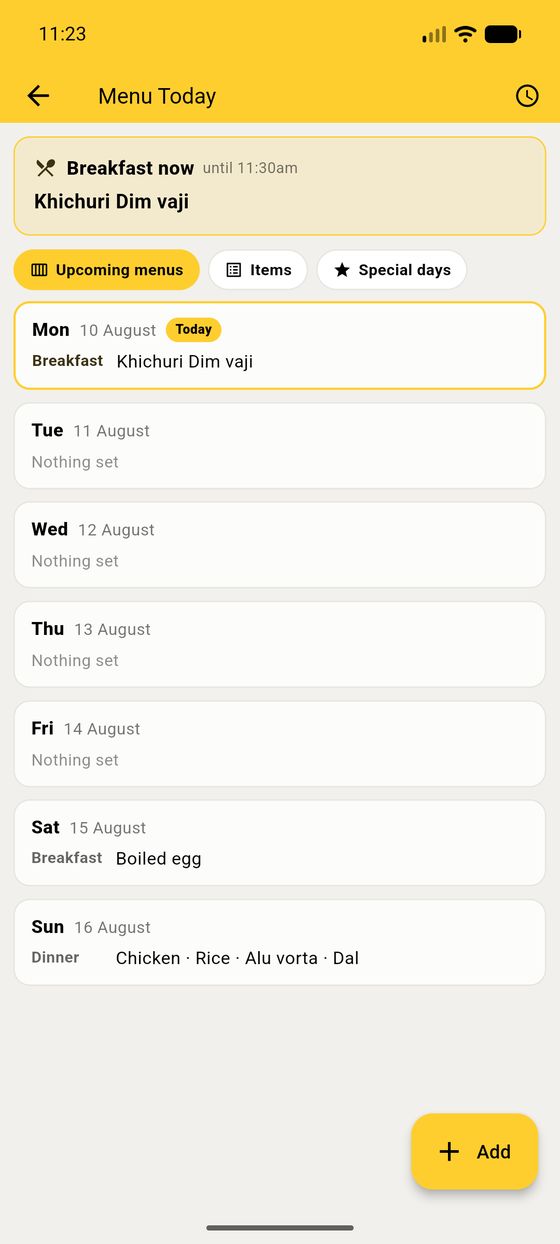
Tap the menu strip on the Dashboard to write what is being cooked. Choose which meals it is for — breakfast, lunch, dinner — and, if your house eats the same thing on the same weekday, tick the days and it repeats.
Whatever is set for the current part of the day shows on everybody's Dashboard, under the meal counts, until that meal's time is over.
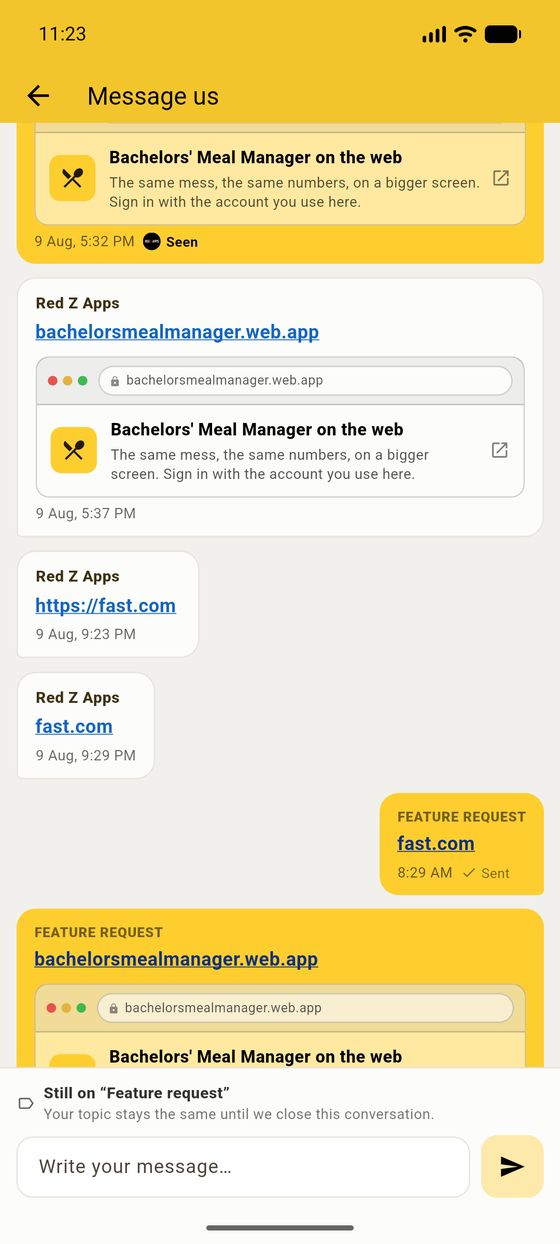
From Profile → Message us, or Talk to us on the Dashboard's house card. Pick a topic — a bug, a feature request, a question, or just thanks — and write.
Replies arrive in the same thread, with a dot on the Profile tab so you know one is waiting. Links in a reply are tappable.
New in 4.0: this used to be for subscribers only. It is open to everybody now.
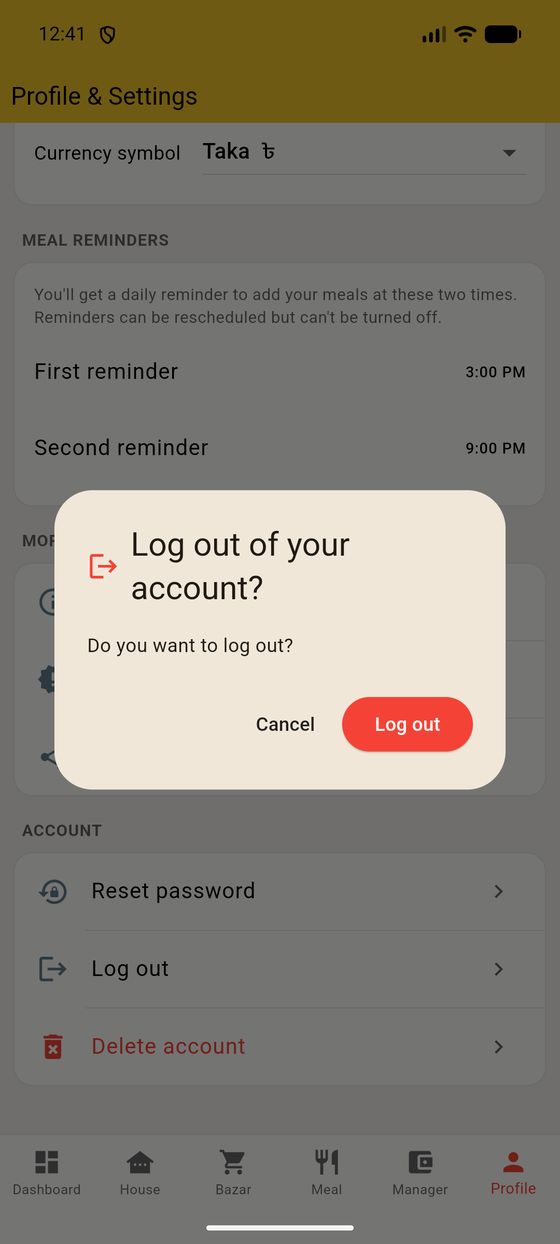
Log out lives at the bottom of the Profile tab, under Account (alongside Reset password and Delete account). Your house data is safe on the server — logging back in brings it all straight back.
| Question | Answer |
|---|---|
| Someone's balance looks wrong. | Open their detail page and read the sum. Still off? Tap the calculator to Recalculate (§2.12). |
| Can I change my house from calculated to fixed? | No — the type is set at creation. Create a new house for the other model. |
| Our manager left. Are we stuck? | No. The house becomes a no-manager house where everyone can manage, and anyone can claim the role (§4.4). |
| I deleted a bazar entry by mistake. | It's in the Trash (top-right of the Bazar tab), with who deleted it and when. |
| How do I invite someone? | Share House ID on the dashboard, or send them the House ID to search. |
| Two people with the same name? | Member names must be unique — the name-match helper warns you, and you can use "Ziad1", "Ziad2" style names. |
| Word | Meaning |
|---|---|
| Member | A meal name the house tracks (may or may not have an app account). |
| Person / People | A real app account that has joined the house. |
| Manager | The person who runs the house — switches months, sets the fixed rate, manages people. A house can also run with no manager. |
| Bazar | Shopping for the house (groceries, food). |
| Deposit | What a person put in: their own bazar + money given to the manager. |
| Cost | What a person owes: their meals × cost-per-meal, plus utility and special meals. |
| Balance | Deposit − Cost. Green = in credit, red = owes. |
| Cost per meal | Calculated house: bazar ÷ meals. Fixed house: the rate the manager set. |
| Utility | Non-food shared bills (wifi, gas, cook, electricity), split among chosen members. |
| Special meal | A higher-cost meal with its own rate, split only among those who joined it. |
Bachelors' Meal Manager · Version 3.3.0 · Developed by RED Z APPS. This guide was produced from the live app; your screens may differ slightly as the app improves.